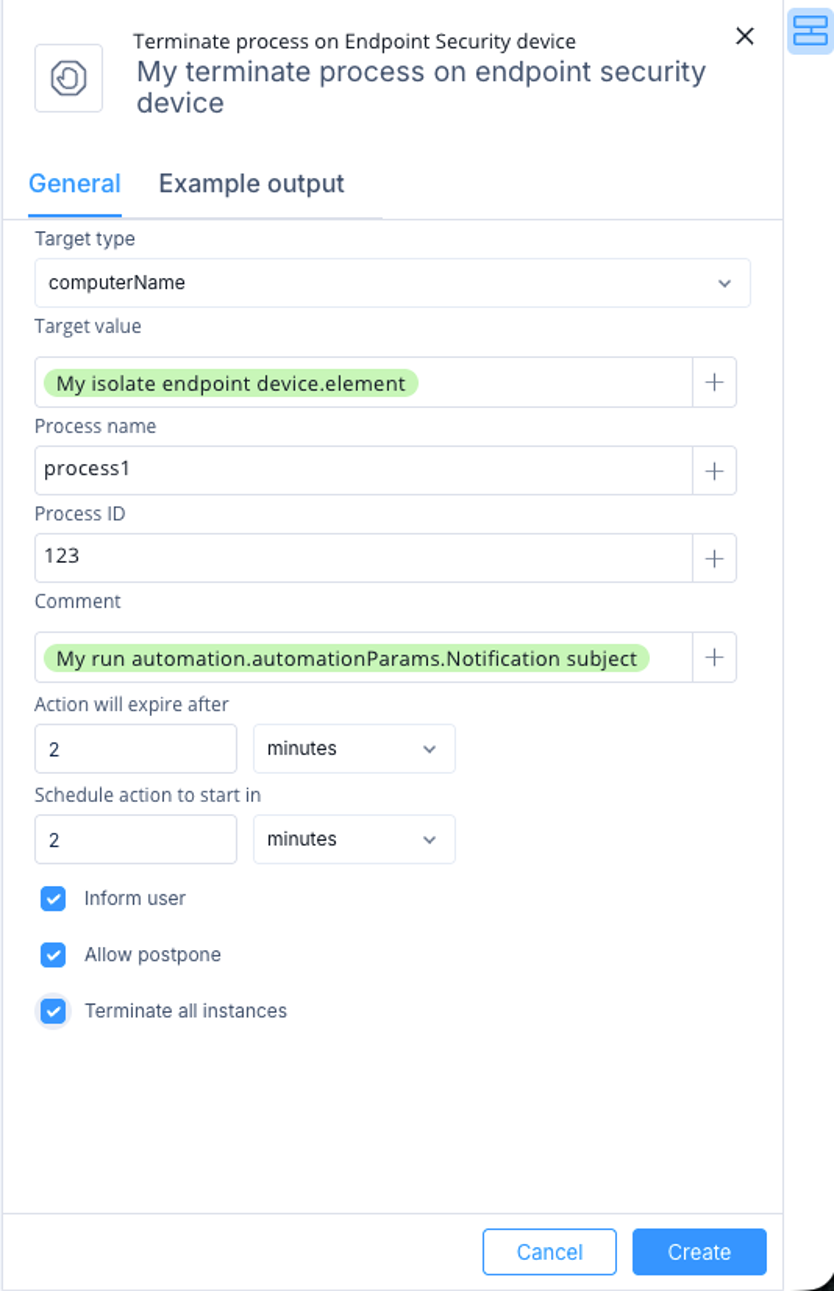
Terminate a process on an Endpoint Security device by configuring target details and action settings.
This task describes how to configure a Terminate process on Endpoint Security device action to terminate a running process on an endpoint device.
-
Select Terminate process on Endpoint Security device and then click Add.
The Terminate process on Endpoint Security device window appears.
-
Specify these:
-
Target type - Select how to identify the device:
-
computerName
-
computerId
-
computerIp
-
Target value - Enter the value that matches the selected target type, or select a value from previous step outputs or automation parameters.
-
Process name - Enter the process name to terminate.
-
Process ID - Optional process ID.
-
Comment - Optional comment for the action.
-
Action will expire after - Select when the action expires.
-
Schedule action to start in - Select when to start the action. Use 0 to run immediately.
-
Inform user - Notify the endpoint user with a UserCheck popup message.
-
Allow postpone - Allow the endpoint user to postpone the operation.
-
Terminate all instances - Terminate all matching process instances.
-
Click Create.