
Pending Actions
This topic describes the Pending Actions page, which lists automation executions awaiting approval. It also explains how to access this page in Playblocks.
The Pending Actions page shows the list of executions awaiting approval from the Administrator. You can also reject or revert an automation.
An execution requires Administrator approval if you select the Admin's approval is required checkbox in the Automation Parameters page.
To view the Pending Actions page, access Playblocks and click Pending Actions.
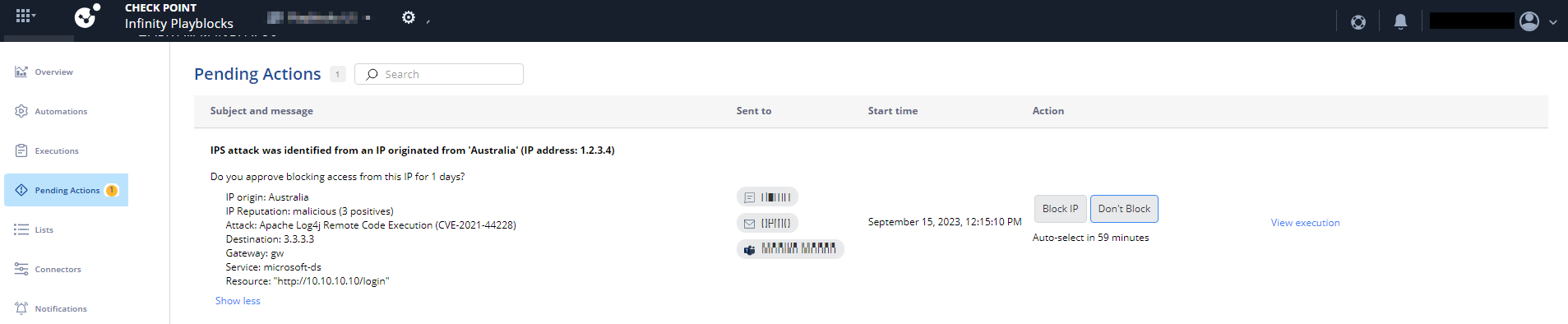
Notification details
| Column Name | Description |
|---|---|
| Subject and message | Brief description of the notification sent for the Administrator's approval. |
| Sent to | Notification recipients. |
| Start time | Date and time the notification was sent. |
| Action | Approve or reject the execution. |