Creating an Authentication

This task describes how to create a new authentication. It guides users through selecting authentication types and configuring related options.

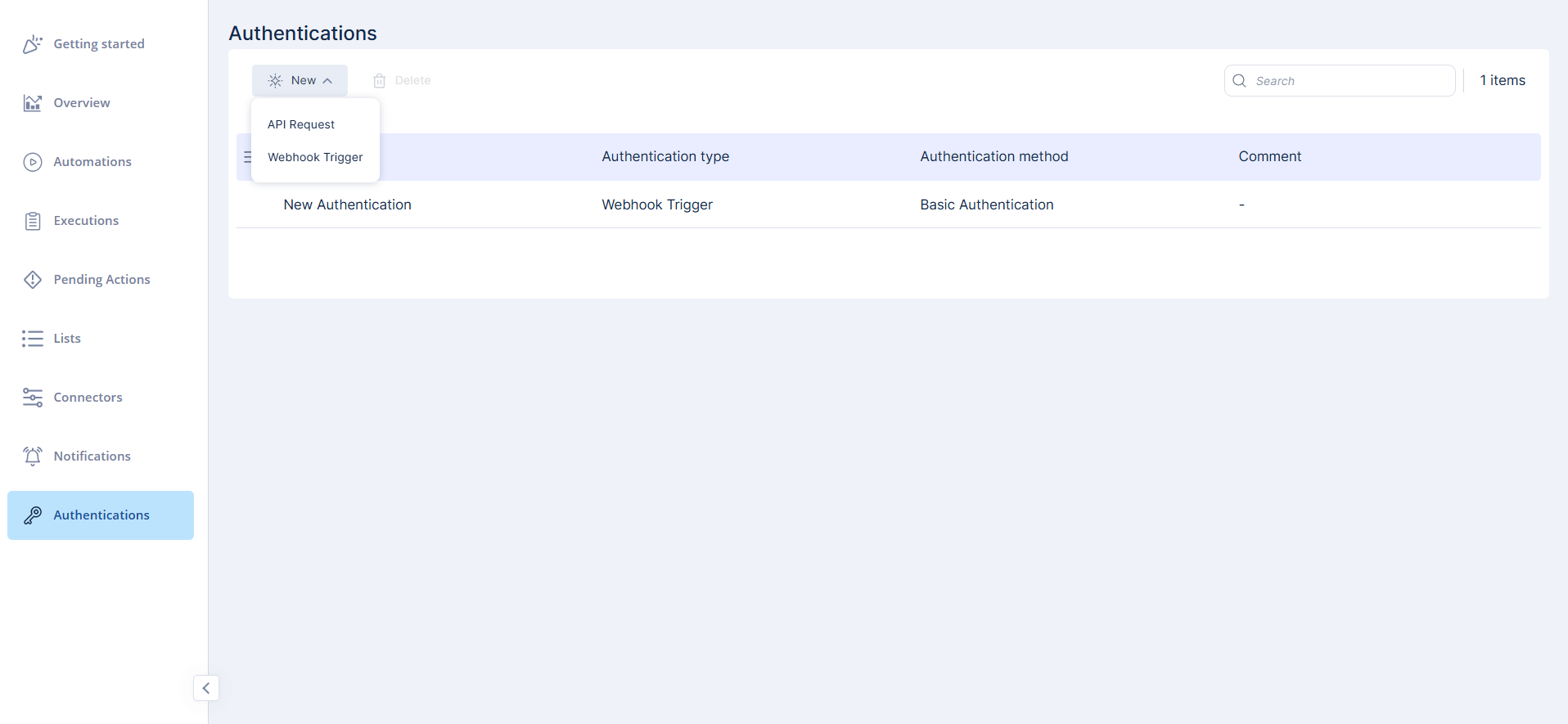
Authentications are used to secure API requests and webhooks. You can view, create, edit, and delete authentications from the Authentications page.

To create a new authentication:

  1. On the Authentications page, click New.
  2. Select the authentication type.
    • API Request

    • Webhook Trigger

  3. Enter the required details for the selected type.
  4. Click Save to create the authentication.
    Note:

    We recommend adding authentication for security. Even if someone obtains the webhook URL, they still need valid credentials.

  5. You can also create other authentication types.
    • Webhook Trigger authentication directly from a webhook's configuration (see Creating a Webhook).

    • An API Request authentication from within the API Request step (see API Request).