
Notifications
The Notifications page provides options to manage who receives notifications and how they are delivered. It also displays legends describing available actions and views.
The Notifications page allows you to:
-
Control who receives notifications and when (immediately, or with a scheduled report), according to your desired attention level for an event.
-
View and manage the list of users in your account who have unsubscribed from notifications by Playblocks.
To view the Notifications page, access Playblocks and click Notifications.
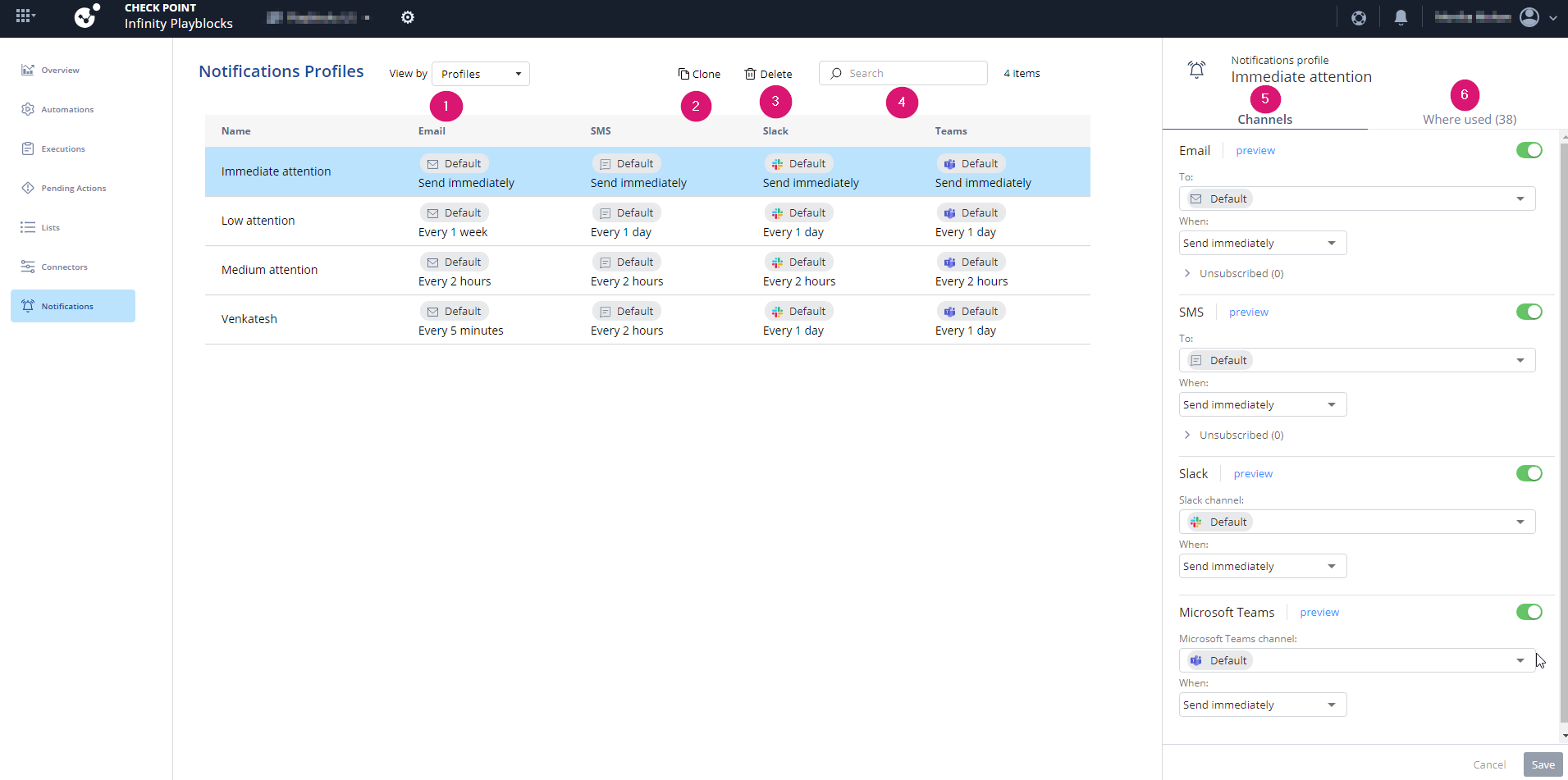
| Legend | Description |
|---|---|
|
1 |
Select a view: |
|
2 |
|
|
3 |
|
|
4 |
Search for a specific notification profile. |
|
5 |
|
|
6 |
Shows the automations where the notification profile is used. |