Conditions
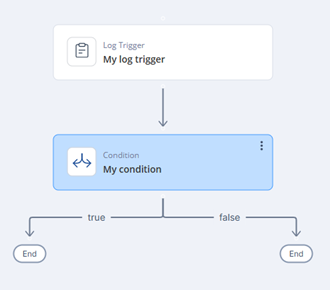
Use conditions to create branches in the automation flow based on logical evaluations. This task explains how to configure condition expressions and operations.
Conditions are used to create branches in the automation flow based on logical evaluations.
Conditions
-
Click Add.
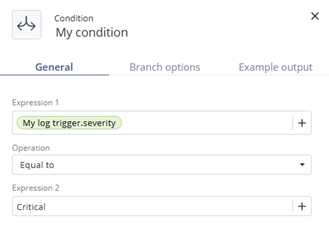
The My Condition window appears.
-
Specify these:
Both expressions can use static values or outputs from previous steps. Define what happens when the condition is met or not met.