
Run Automation
Run an automation action and configure automation parameters and inputs for supported automation types.
Run Automation
- In Actions tab, select Run Automation.
-
Click Add.
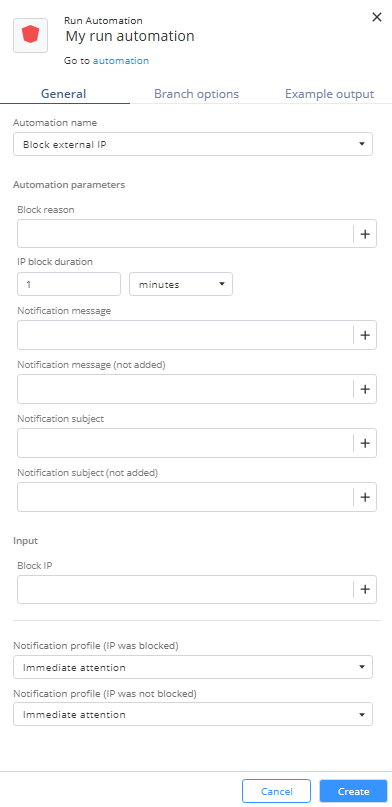
The Run Automation window appears.
-
In the General tab, from the Automation name list, select one of these and specify the automation parameters and Input:
-
Block External IP:
-
Block reason
-
IP block duration
-
Notification message
-
Notification message (not added)
-
Notification subject
-
Notification subject (not added)
-
Block IP
-
Notification profile (IP was blocked)
-
Notification profile (IP was not blocked)
-
-
Quarantine Internal IP
-
Quarantine reason
-
IP quarantine duration
-
Notification message
-
Notification message (not added)
-
Notification subject
-
Notification subject (not added)
-
Open ticket if device IP was quarantined
-
Quarantine IP
-
Notification profile (Device IP was quarantined)
-
Notification profile (Device IP was not quarantined)
-
-
Open ticket and notify
-
Open ticket
-
ServiceNow ticket type
-
Jira ticket type
-
Notification subject
-
Notification message
-
Ticket subject
-
Ticket description
-
Notification profile
-
-
Isolate endpoint device
-
Device isolation duration
-
Notification subject
-
Notification message
-
Open ticket if device was isolated
-
type
-
deviceName
-
deviceIp
-
machineId
-
comment
-
Notification profile
-
-
- Click Create.