
Isolate Endpoint Device
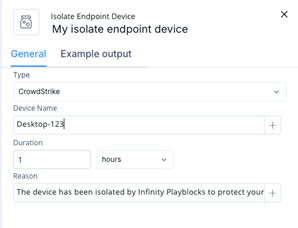
Configure and create an isolation action for an endpoint device. Specify the endpoint product, device details, isolation duration, and reason for isolation.
Isolate Endpoint Device
-
Select Isolate Endpoint Device and then click Add.
The Isolate Endpoint Device window appears.
Note:
The selected endpoint product must be configured before the isolation action can run.