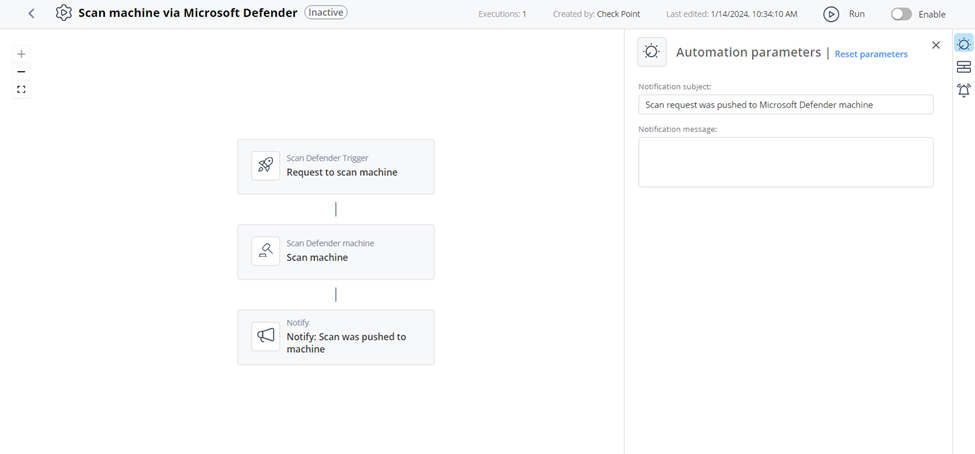
Scan machine via Microsoft Defender
This topic describes how the automation scans a machine using Microsoft Defender and details supported products, parameters, triggers, and flow.
Supported Product
Microsoft Defender for Endpoint
Parameters
| Notification subject |
Enter a subject for a notification you receive through a configured communication tool. |
| Notification message |
Enter the text for a notification you receive through a configured communication tool. |
Trigger
The input includes machine ID of the Microsoft Defender machine, a comment, and the scan type. Scan type can be:
-
Full
-
Quick
To view the example of this log, click Run.
Flow