Isolate compromised Endpoint Security device (enforced by Endpoint)
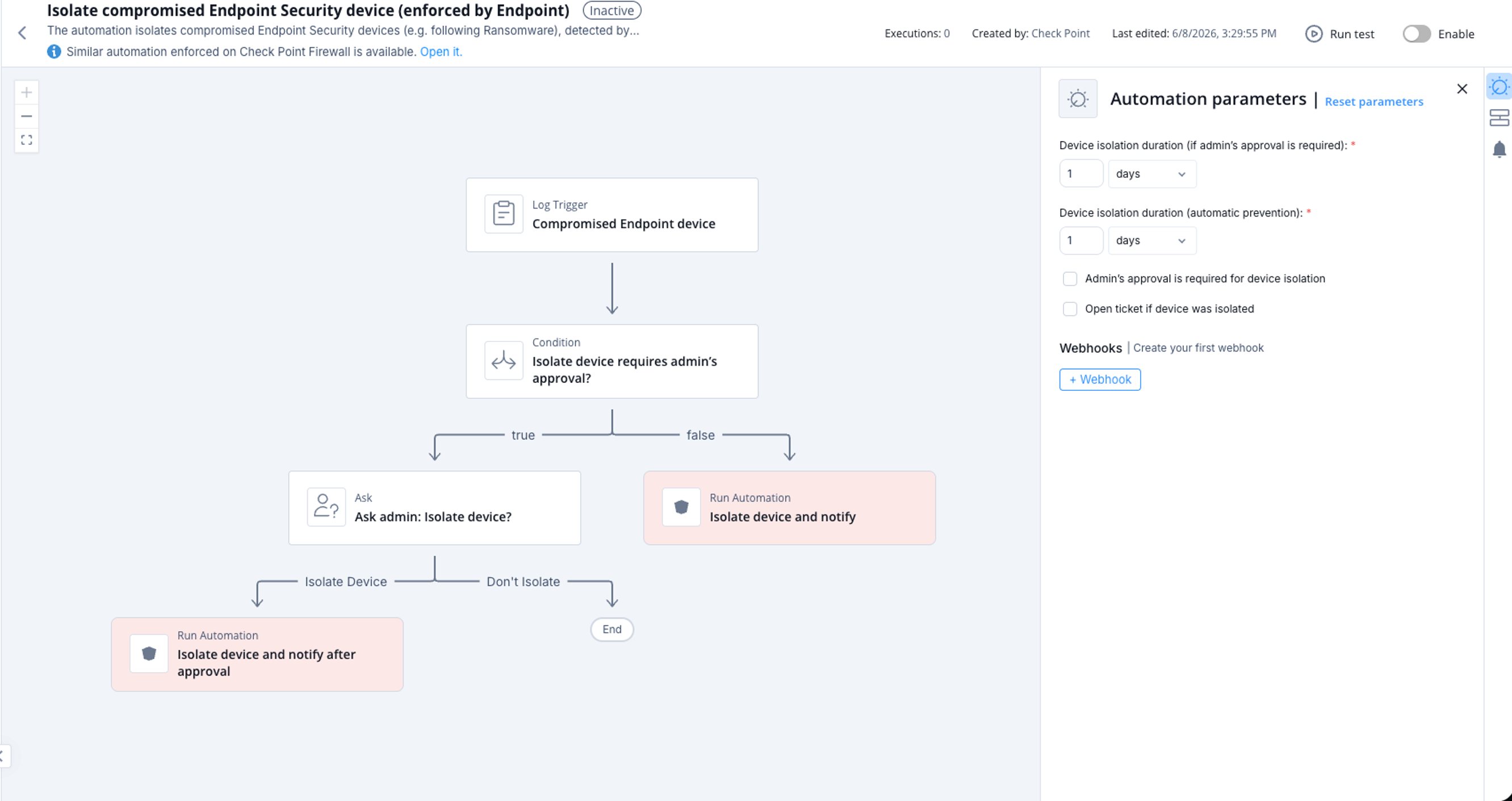
This topic describes the automation that isolates compromised Endpoint Security devices and details its supported product, parameters, trigger, and workflow.
The automation isolates compromised Endpoint Security devices (for example, following Ransomware), detected by Endpoint Security, to prevent the threat from spreading inside the organization. More parameters can be set using the automation parameters such as the isolation duration, whether the isolation is automatic or upon administrator approval, and so on.
Supported Product
Endpoint Security
Parameters
|
Device isolation duration (if admin's approval is required) |
Set the expiration period for the automation. This applies only if you have selected the Admin's approval is required for device isolation checkbox. After the expiration, Playblocks sends the notification for the Administrator's approval. |
|
Device isolation duration (automatic prevention) |
Set the expiration period for the automations that are executed automatically (without the administrator's approval). The default duration is 1 day. |
|
Admin's approval is required for device isolation |
Select the checkbox if you want administrator's approval to execute the automation. It is recommended that you leave the Admin's approval is required for device isolation checkbox unselected. |
|
Open ticket if device was isolated |
Select the checkbox if you want to open a ticket when device was isolated. |
Trigger
Compromised Endpoint Security device.
To view the example of this log, click ../running-automation/running-the-automation.dita.
Flow