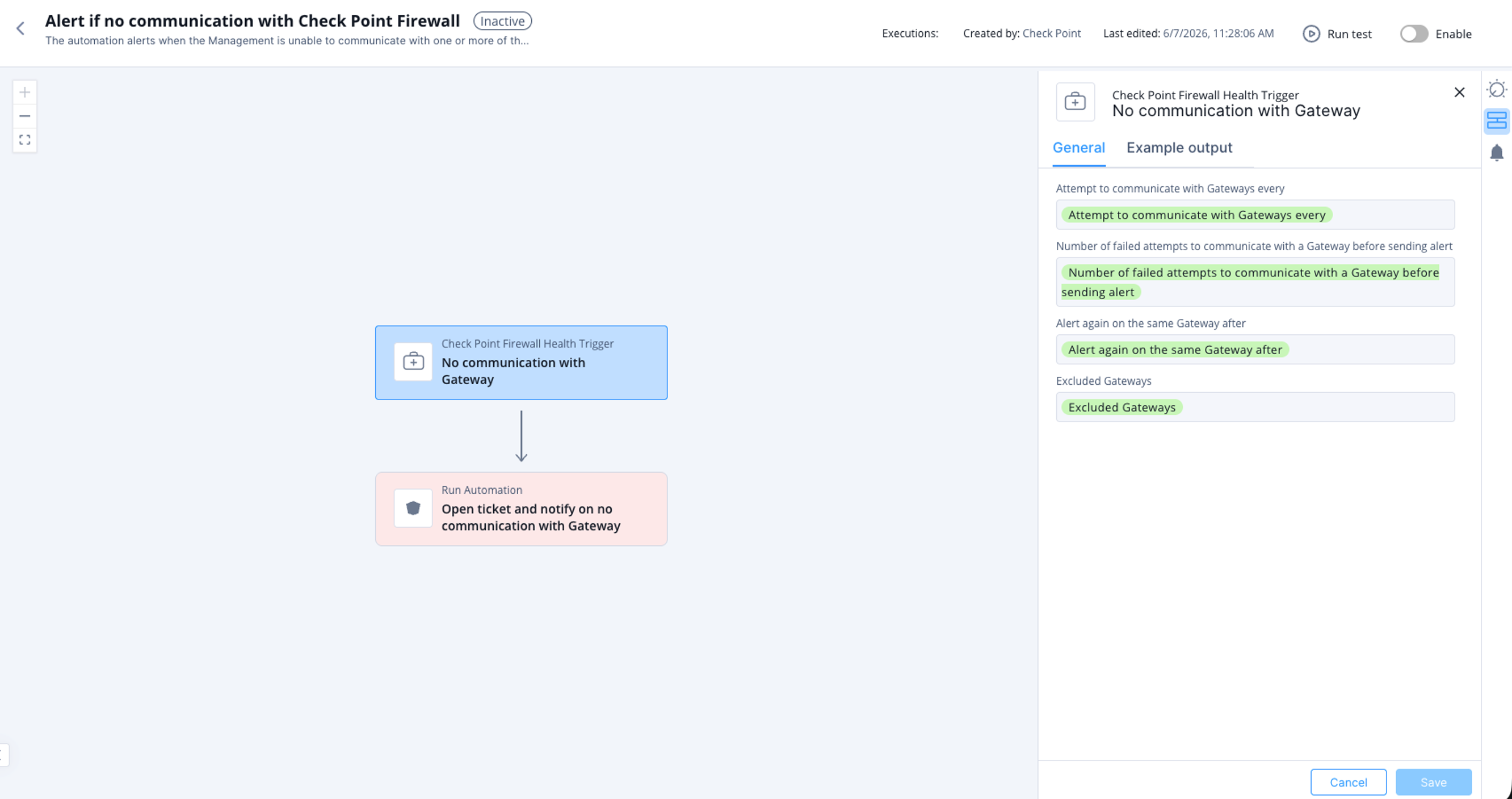
Alert if no communication with Check Point Firewall
This topic describes the alert generated when Check Point Firewall Management cannot communicate with one or more Check Point Firewalls. It lists supported products, parameters, trigger conditions, and the automation flow.
The automation alerts when the Check Point Firewall Management is unable to communicate with one or more Check Point Firewalls. The alert notifies and opens a ticket with the information on the gateway. Automations parameters can be set to configure the frequency of testing the communication, number of failed attempts before creating the alert, and if a ticket has to be opened.
Supported Product
Check Point Security Management Server
Parameters
|
Attempt to communicate with Gateways every |
Set the frequency to check communication with the Gateway. |
|
Number of failed attempts to communicate with a Gateway before sending alert |
Set the number of failed attempts to communicate with a Gateway before sending alert. |
|
Alert again on the same Gateway after |
Set the frequency to receive alerts again on the same Gateway. |
|
Open a ticket if no communication with Gateway |
Select the checkbox if you want to open a ticket when the automation is triggered. |
|
Exclude the following Gateways from testing communication |
Select the gateway(s) checkbox(s) to exclude testing communication. |
Trigger
When Check Point Firewall Management is unable to communicate with one or more Check Point Firewalls.
To view the example of this log, click ../running-automation/running-the-automation.dita.
Flow