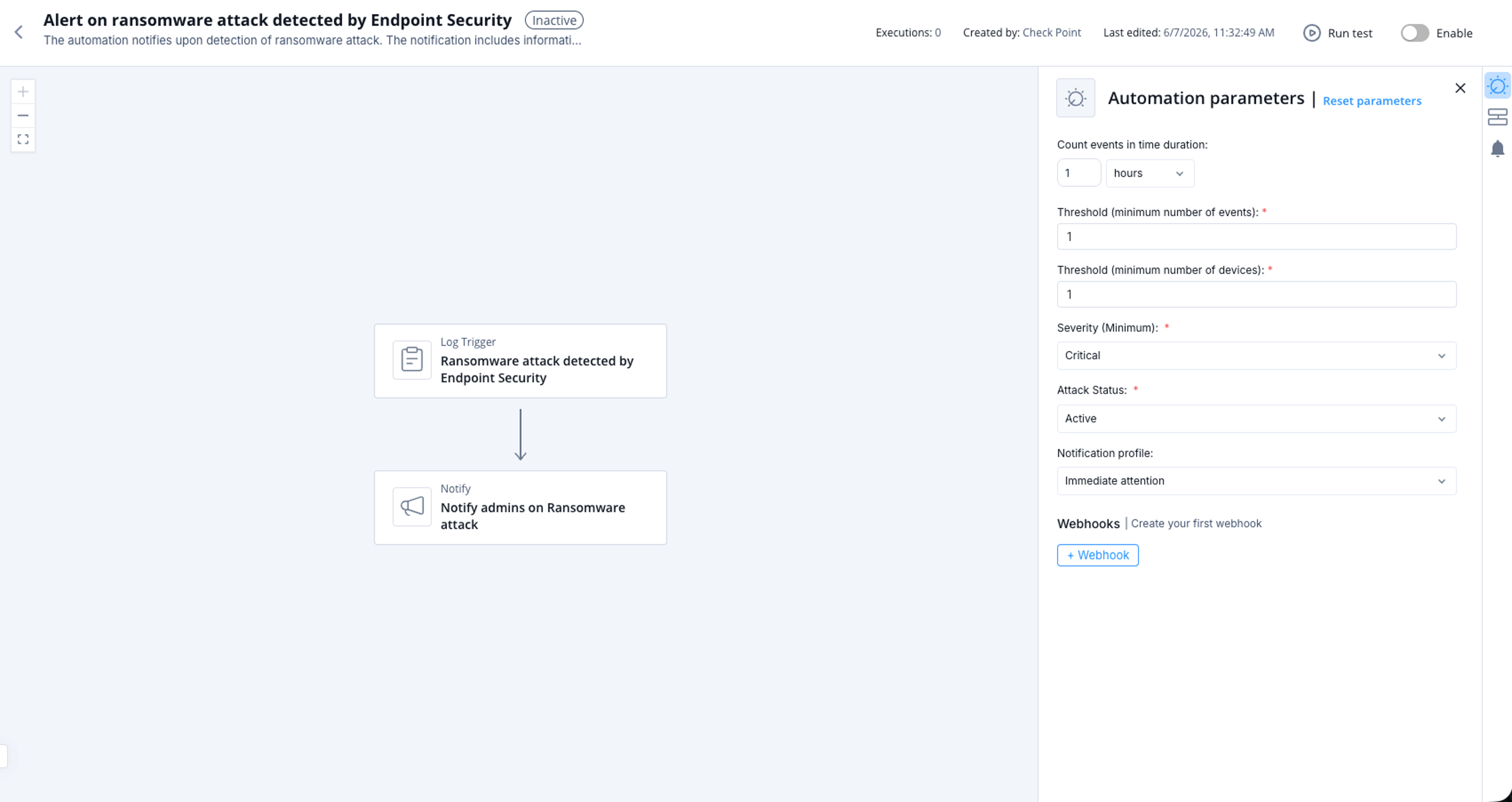
Alert on ransomware attack detected by Endpoint Security
This topic describes an automation that alerts when a ransomware attack is detected and outlines supported products, parameters, triggers, and workflow.
The automation notifies upon detection of ransomware attack. The notification includes information on the number of events and number of affected devices. Automation parameters can be set such as the affected devices threshold and total events threshold.
Supported Product
Endpoint Security
Parameters
|
Count events in time duration |
Set the duration of time in which to count the events. |
|
Threshold (minimum number of events) |
Set the minimum number of events for the automation to be triggered. |
|
Threshold (minimum number of devices) |
Set the minimum number of devices affected for the automation to be triggered. |
|
Severity (Minimum) |
Set the minimum severity. |
|
Attack Status |
Set the attack status. |
|
Notification profile |
Set the notification profile. |
Trigger
When a ransomware attack is detected by Endpoint Security.
To view the example of this log, click ../running-automation/running-the-automation.dita.
Flow