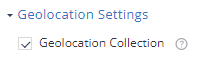
Geolocation Settings
This setting enables collection of the device GPS location when a network attack is detected.
This information is used to provide map detail on the Network tab.
-
Select the Geolocation Collection checkbox.
This enables it from the Dashboard side. The user must allow the Mobile Security Protect app to use the location on their device to collect geo location information.