Access Policies
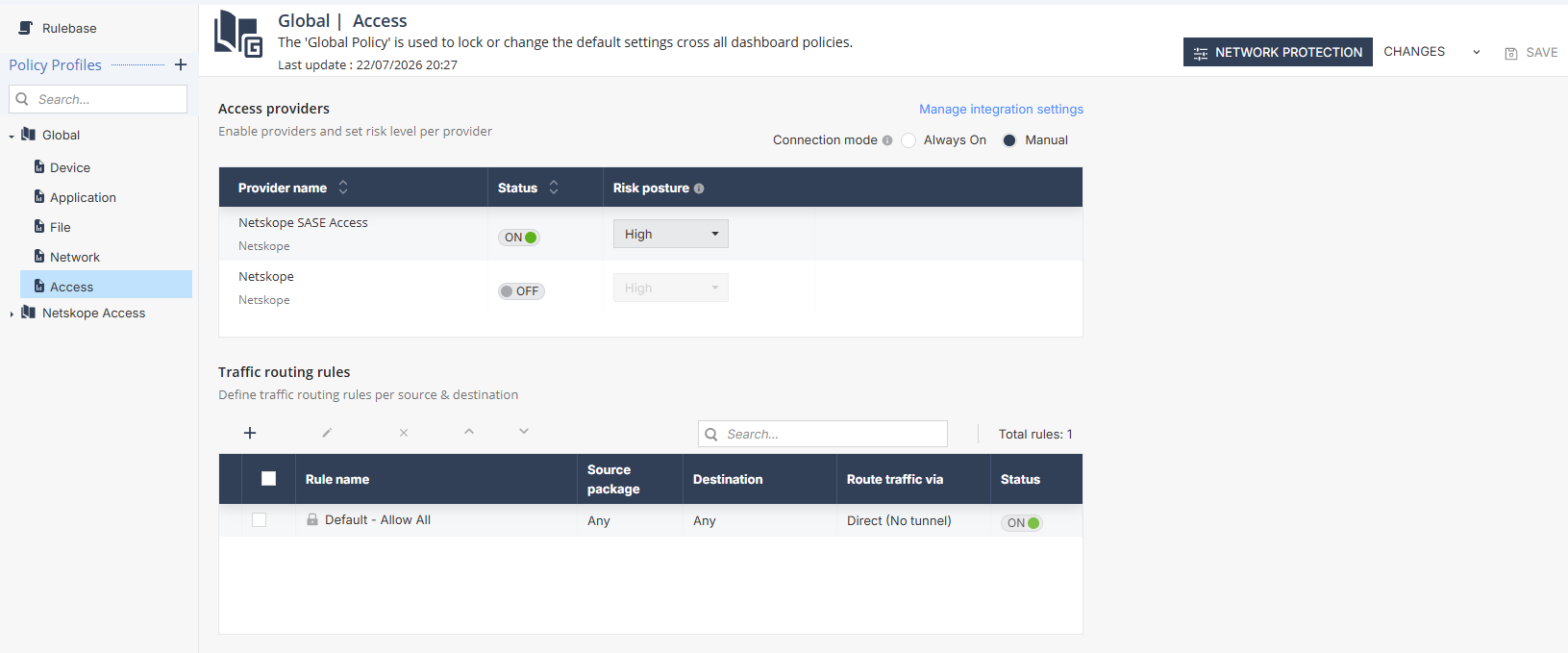
In the Access policy section, you can configure the policy settings for SASE providers integrated with Mobile Security.
Prerequisite
Make sure you have integrated the SASE provider with Mobile Security. For the integration procedure, see Secure Access.
Access Providers
In the Access providers section, you can enable the SASE provider connection, select its connection mode and set a risk level for the SASE provider to block access to corporate resources.
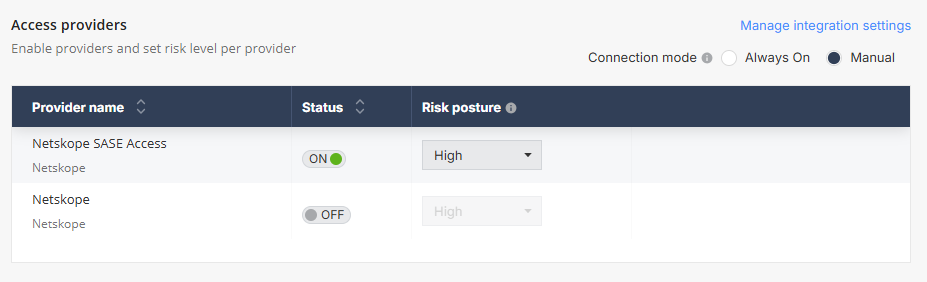
To manage the integration settings, click the Manage integration settings link.
To configure the Access Providers settings:
- Go to Policy and select a policy profile.
- Select Access policy.
- In the Access providers section, select
Connection mode as one of these:
- Always On - Devices always stay connected to the SASE provider.
- Manual - Users need to manually connect to the SASE network from their mobile devices.
- To enable the connection with a SASE provider, in the Status column, turn on the toggle button.
- To configure the risk level for a SASE provider, in the Risk
Posture column, select a risk level. Mobile devices with
this risk level or higher cannot access corporate resources through the SASE network.Note:If you select the risk level as Ignore, all devices in this policy are allowed to access corporate resources through the SASE network, irrespective of their risk levels.
- Save the policy changes.
Traffic Routing Rules
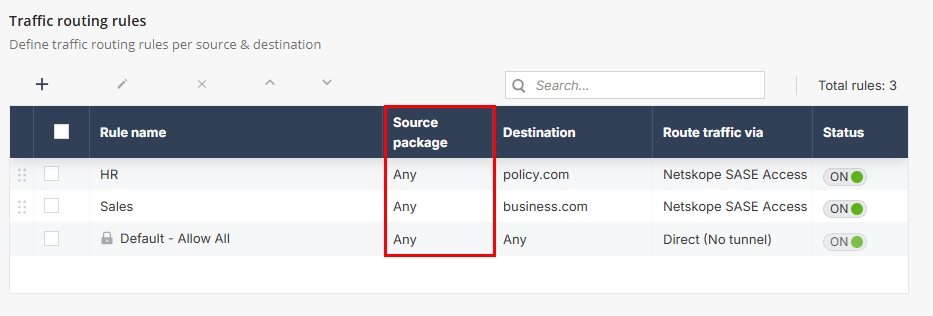
In the Traffic routing rules section, you can define rules to route traffic in mobile devices.
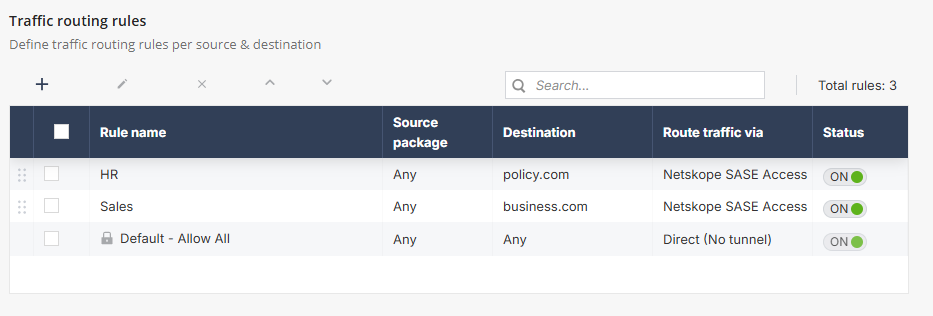
To add a new rule:
- In the Traffic routing rules section, click +.
- In the New Rule window, enter these details:
- In the Rule name field, enter a name for the rule.
- From the Status list, select whether the rule
must be enabled or disabled:
- ON - Enabled
- OFF - Disabled
- From the Destination list, select the traffic destination.
- From the Route traffic via list, select the network to route the device traffic.
- Click Add.

Note:The traffic Source is automatically set to Any.