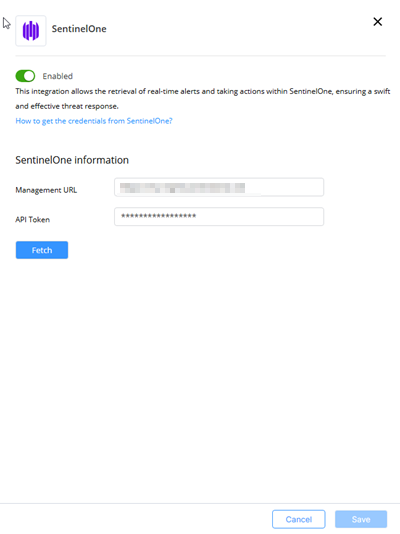
This task describes how to configure a SentinelOne connector in Playblocks. Follow the steps to enable the connector and provide required credentials.
-
Access Playblocks and click Connectors.
-
Select SentinelOne.
-
Turn on the Enable toggle button.
-
In the Management URL field, enter your SentinelOne domain, for example,
https://my-mgmt.sentinelone.net.
-
In the API Token field, enter the API token that you created in your SentinelOne account.
-
Click Fetch.
-
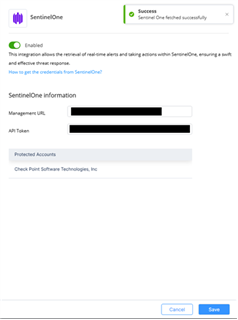
Click Save.
The protected account that you chose is displayed.