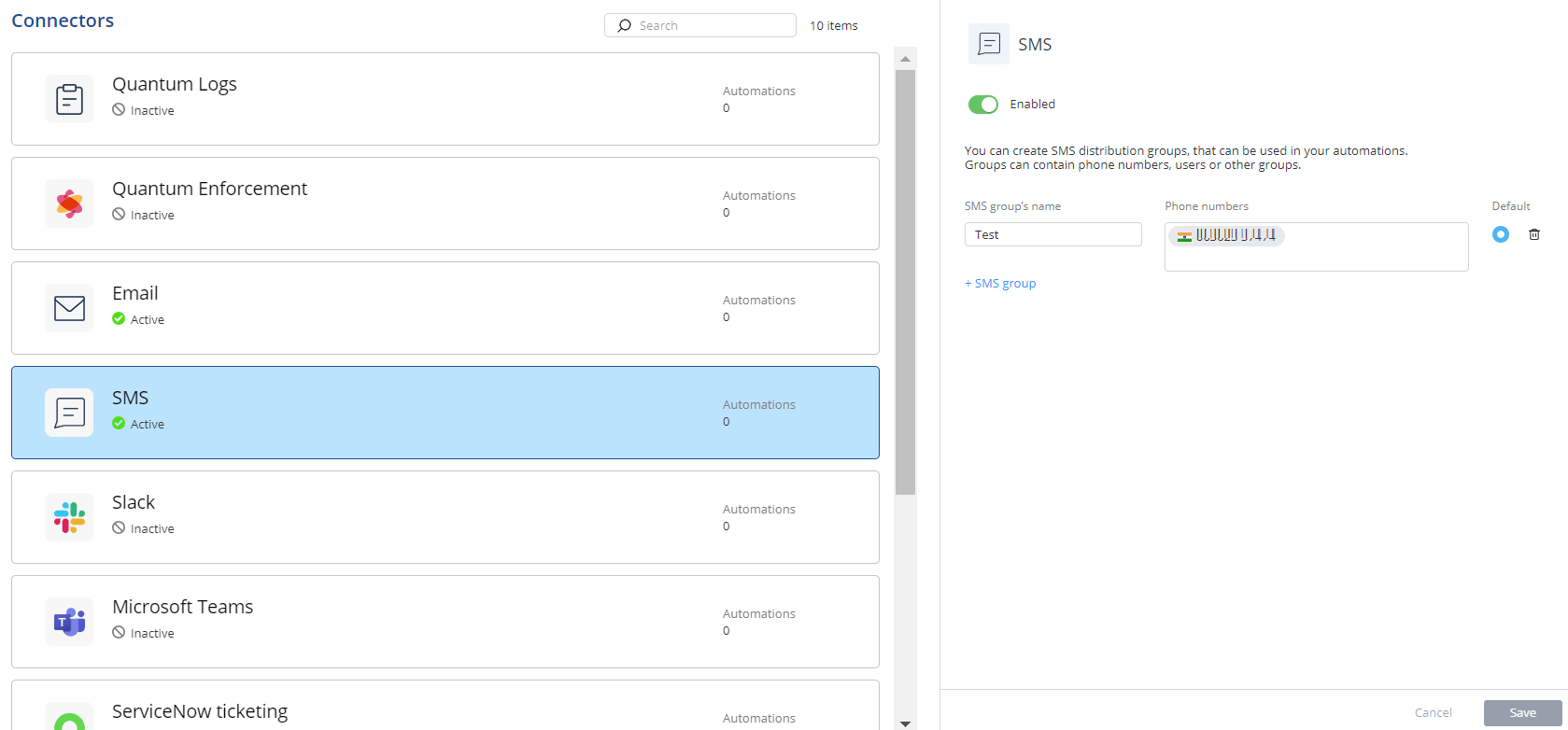
This topic explains how to configure an SMS connector to send incident notifications. It provides steps for adding groups, entering phone numbers, and managing defaults.
You can specify the mobile phone numbers to receive an SMS with the details of the incident and responsive action taken.
-
Access Playblocks and click Connectors.
-
Select SMS.
-
Turn on the Enabled toggle button.
-
In the SMS group's name field, enter a name for the group.
-
In the Phone numbers field, enter a phone number.
You can add multiple phone numbers within a single group.
-
To add another group, click SMS group and repeat step 4 and 5.
-
Click the Default option button to set one phone number as the default.
Note: To send notifications to multiple groups, see Notifications.
-
To delete a group, click
 .
.
-
Click Save.