CrowdStrike
This topic describes how to connect CrowdStrike Falcon with an Playblocks account. It provides steps to enable the connector and configure required credentials.
The integration of Playblocks with CrowdStrike Falcon allows you to receive real-time alerts from CrowdStrike Falcon for Endpoint and take corrective actions through automations. These automated workflows enable faster responses and more efficient threat management.
Note:
Before you configure the CrowdStrike connector, you must integrate the Playblocks and CrowdStrike Falcon. For more information, see Appendix E - Integrating CrowdStrike Falcon
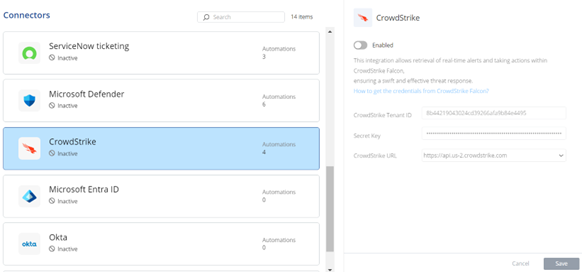
To connect CrowdStrike Falcon with your Check Point Portal account:
-
Select CrowdStrike and turn on the Enabled toggle button.