
Appendix E - Integrating CrowdStrike Falcon
This topic describes how to integrate Check Point Playblocks with CrowdStrike Falcon to enable automated alert handling and response actions. It outlines the steps required to configure API access in the CrowdStrike Falcon portal.
The integration of Playblocks with CrowdStrike Falcon allows you to receive real-time alerts and take corrective actions using automated workflows. These workflows improve response time and threat management efficiency.
Note:
Make sure you have the necessary permissions to isolate (contain) and de-isolate devices.
Log in to the CrowdStrike Falcon web portal.
-
Go to Support and resources >
API clients and keys.
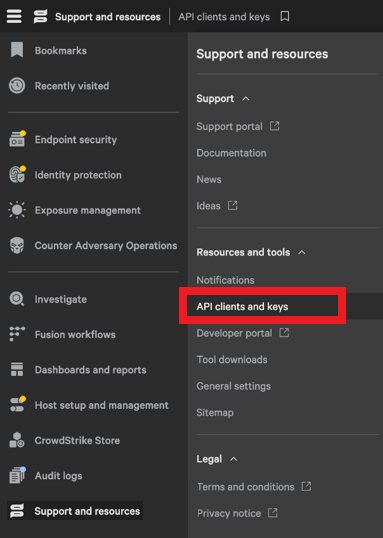
The API Clients and Keys window appears.
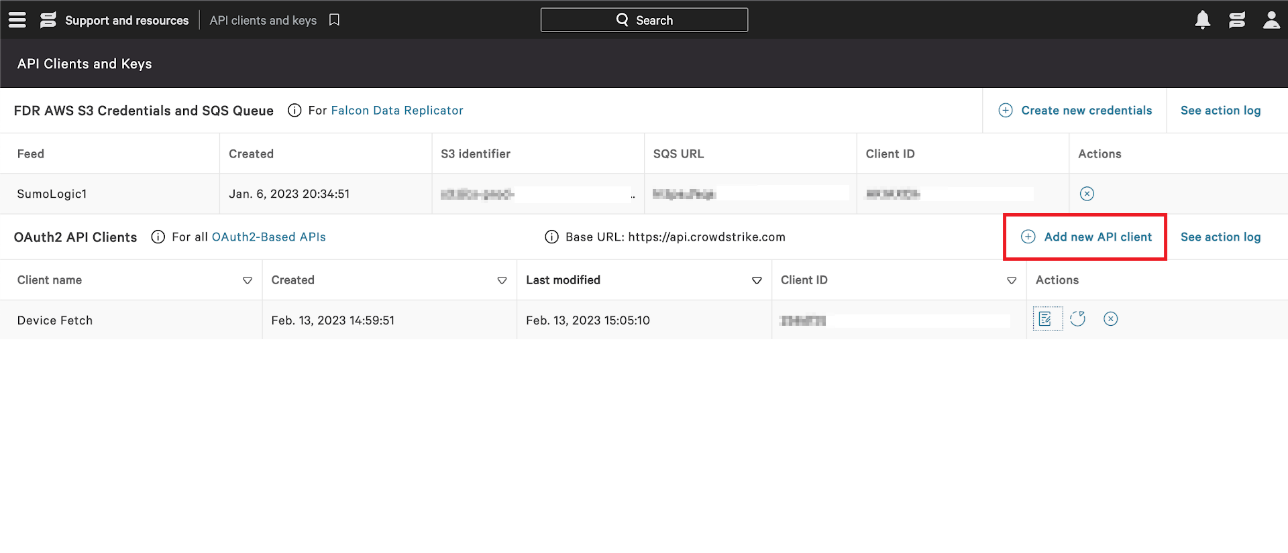
-
Click Add new API client.
The Create API client window appears.
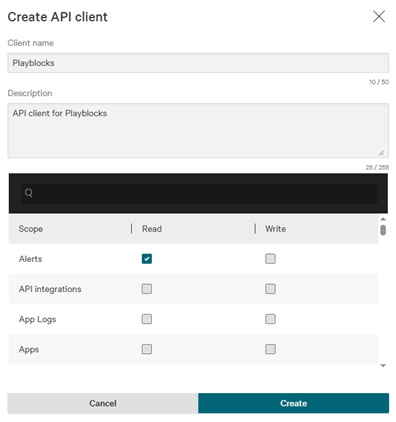
-
Click Create.
The API client created window appears.
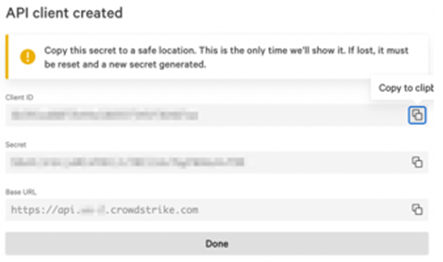
-
Click
 to copy Client ID,
Secret Key and
Base URL.
to copy Client ID,
Secret Key and
Base URL.