Appendix C - Creating Workflow for Microsoft Teams Notification
This task describes how to create a workflow for Microsoft Teams notifications using Microsoft Power Automate. Follow the steps to configure triggers and actions for Teams webhook requests.
Note:
If you are using Microsoft Teams Classic, click on Apps in the sidebar, search for Workflows and then add Workflows. Click the Post to a channel when a webhook request is received workflow. Continue the instructions below from step 4.
-
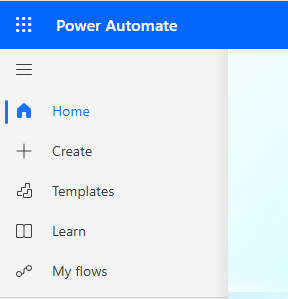
In the left navigation pane, select My Flows.
-
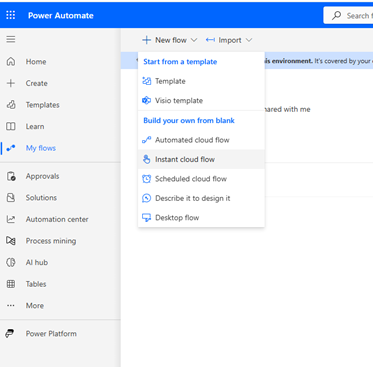
Under New flow, click Instant cloud flow.
-
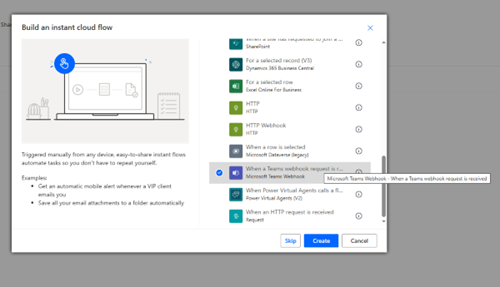
Enter a name for the flow.
Under Choose how to trigger this flow, select When a Teams webhook request is received.
-
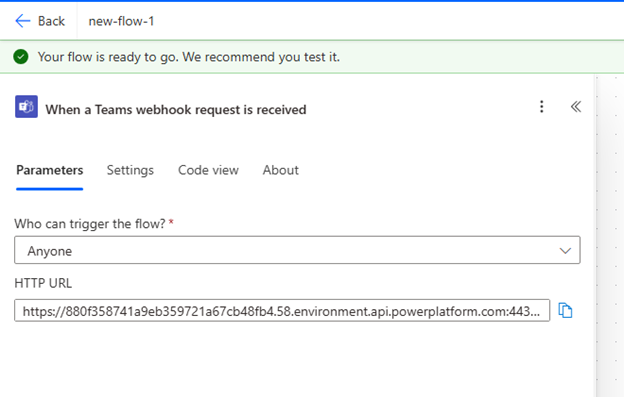
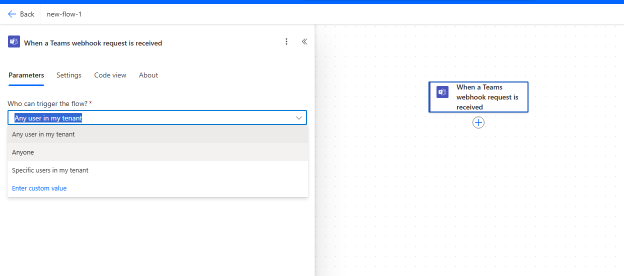
Under Parameters, from Who can trigger the flow?, select Anyone.
-
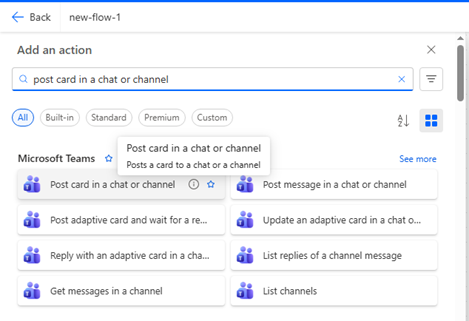
Under Add a new action, select Post card in a chat or channel.
-
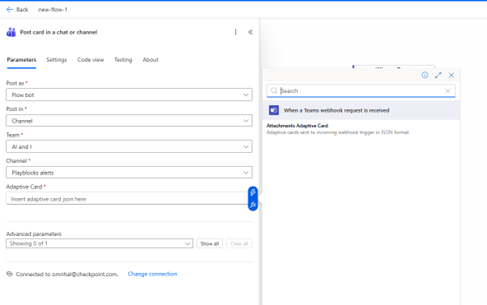
In Adaptive card, click Enter the data from previous step (blue lightning icon), and then select Attachment adaptive card.
-
Under Parameters, copy the HTTP URL.