Transport Rules
Delivery Rule: A transport rule that modifies the delivery of the email
Quarantine emails from "abc.com"
Allow-List emails coming from IP 111.111.111.111
Mark emails with Nickname = "John" as Spam (SCL)
Send emails to Connector XYZ
Forward emails sent to X to Y
Modification Rule: A transport rule that modifies the content of the email
Add "[EXTERNAL]" to the subject if sender is Outside Organization
Add disclaimer to the email body footer
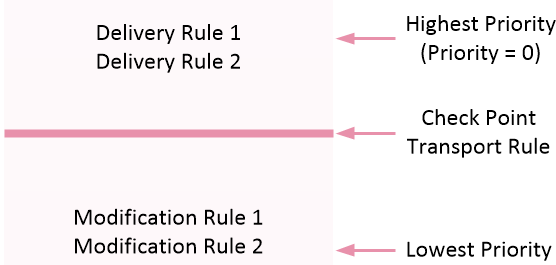
Avanan Transport Rule Optimal Priority
The Avanan Protect policy for Office 365 Exchange automatically creates a transport rule with the name of "Avanan - Protect" with default priority of 0 (highest priority).
Unless you have a reason to keep your rules in a specific order, keep the Delivery Rules on top of the Modification Rules. Place the Avanan Protect Rule between the Delivery Rules and the Modification Rules.
Contact Avanan Support if one of these is true:
There is a 3rd party integration that receives the mail-flow.
The rules only function is a specific order.