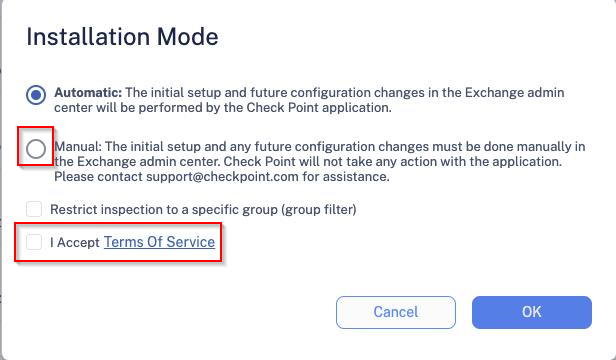
Step 1 - Authorize the Manual Integration Application From the Getting Started Wizard, click Start for Office 365 Mail. or From the left panel, go to Security Settings > SaaS Applications. Click Start for Office 365 Mail. Select Manual mode of operation. In the Office 365 Authorization window that appears, sign in with your Microsoft Global Administrator credentials. In the authorization screen, click Accept to grant permissions for Avanan Cloud Security Platform - Emails - Manual Mode application. For more information, see Manual Integration with Office 365 Mail - Required Permissions.