Notify on repeated login failures to Management
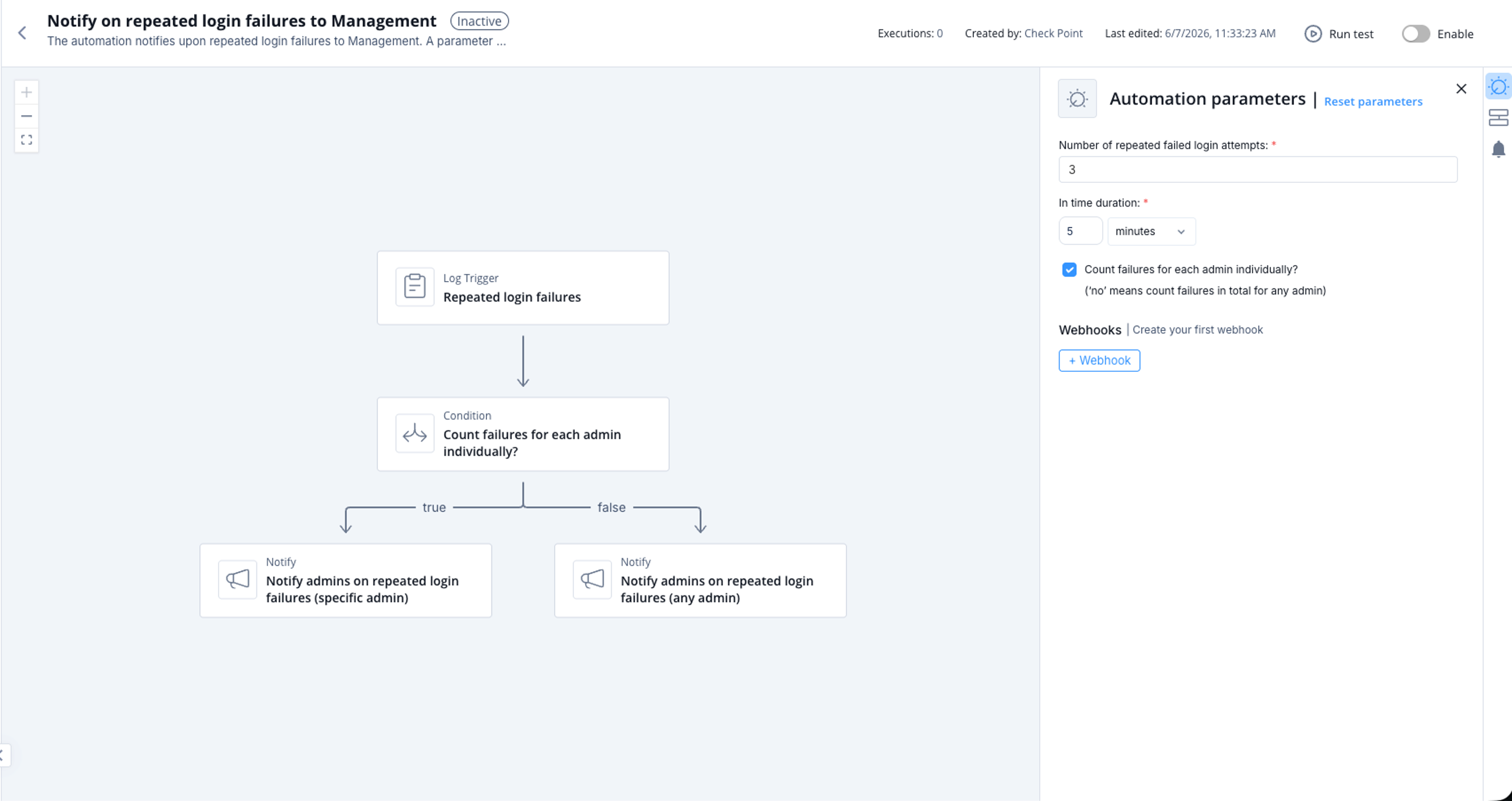
This automation notifies you upon repeated login failures to Management. A parameter to count failures by user can be set using the automation parameters. The notification includes details on the number of failures in the time duration.
Supported Product
Check Point Security Management Server
Parameters
|
Number of repeated failed login attempts |
Set the number of repeated failed login attempts before notify. |
|
In time duration |
Set the time duration for the repeated failed login attempts. |
|
Count failures for each admin individually? ('no' means count failures in total for any admin) |
Select the checkbox if you want to count failures by each administrator individually. |
Trigger
When the number of repeated failed login attempts reach to the number defined in the automation parameters.
To view the example of this log, click Run.
Flow