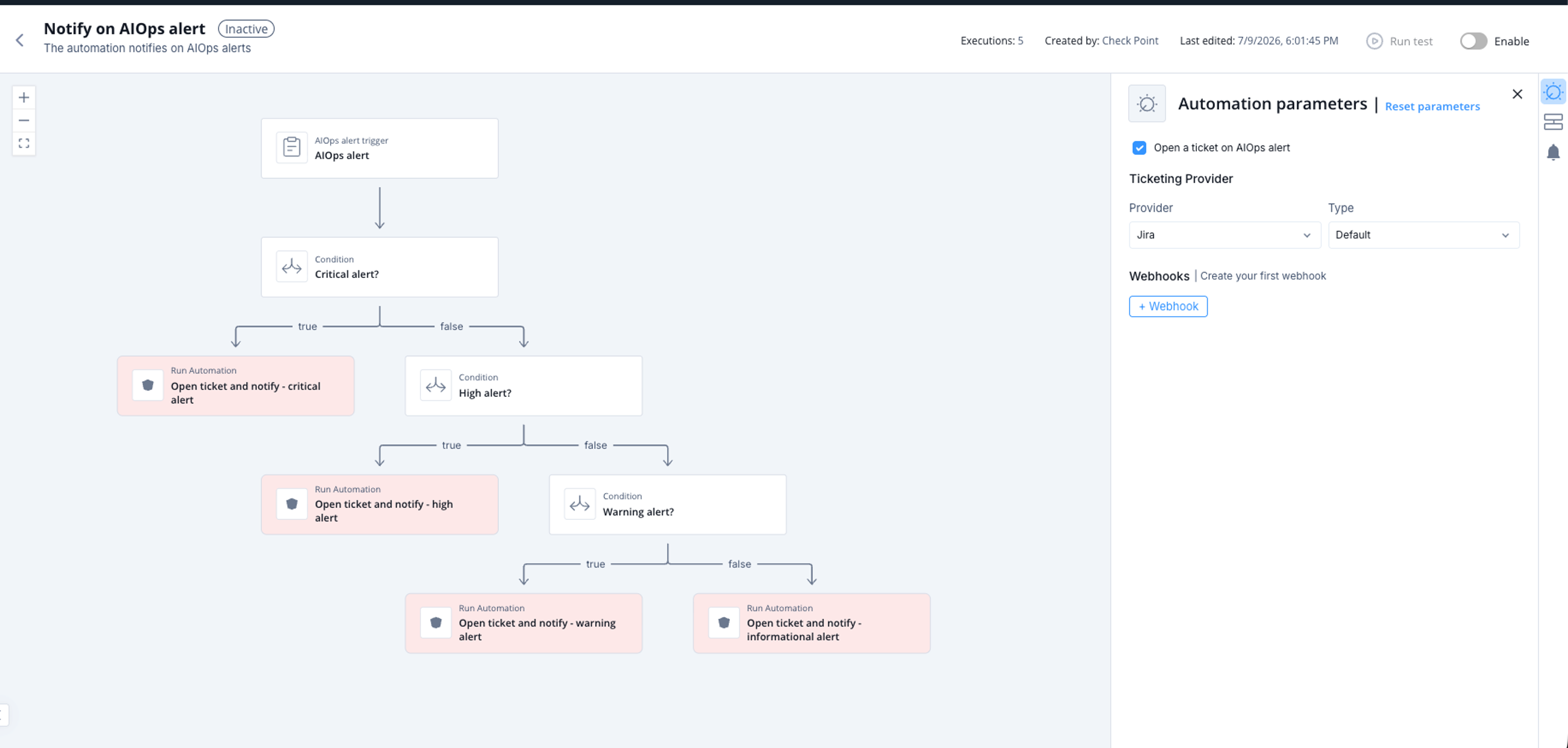
Notify on AIOps alert
This automation sends notifications for AIOps alerts. It selects the AIOps notification profile based on the alert severity.
If the corresponding parameter is selected, the automation also opens a ticket with the configured ticketing provider.
Supported Product
AIOps
Parameters
| Parameter | Description |
|---|---|
| Open a ticket on AIOps alert | Select this checkbox to open a ticket for every AIOps alert that the automation routes. If this checkbox is not selected, the automation sends only notifications. |
| Ticketing Provider | Select the ticketing connector that opens the ticket. This parameter applies only when Open a ticket on AIOps alert is selected. |
Trigger
The automation starts when it receives an AIOps alert. It classifies the alert as Critical, High, Warning, or Informational. The automation then routes the alert to the notification profile that matches the severity.
To view an example of this alert payload, click Run.
Flow
The automation branches based on the alert severity:
- Critical - If the severity is greater than 20, the automation sends a notification through the AIOps Immediate attention profile.
- High - If the severity is greater than 16, the automation sends a notification through the AIOps Immediate attention profile.
- Warning - If the severity is greater than 12, the automation sends a notification through the AIOps Medium attention profile.
- Informational - If the severity is 12 or lower, the automation sends a notification through the AIOps Low attention profile.
For each branch, if Open a ticket on AIOps alert is selected, the automation opens a ticket with the selected Ticketing Provider. The ticket includes the alert subject and message.