
Notifications
The Notifications page allows you to:
-
Control who receives notifications and when (immediately, or with a scheduled report), according to your desired attention level for an event.
-
View and manage the list of users in your account who have unsubscribed from notifications by Playblocks.
To view the Notifications page, access Playblocks and click Notifications.
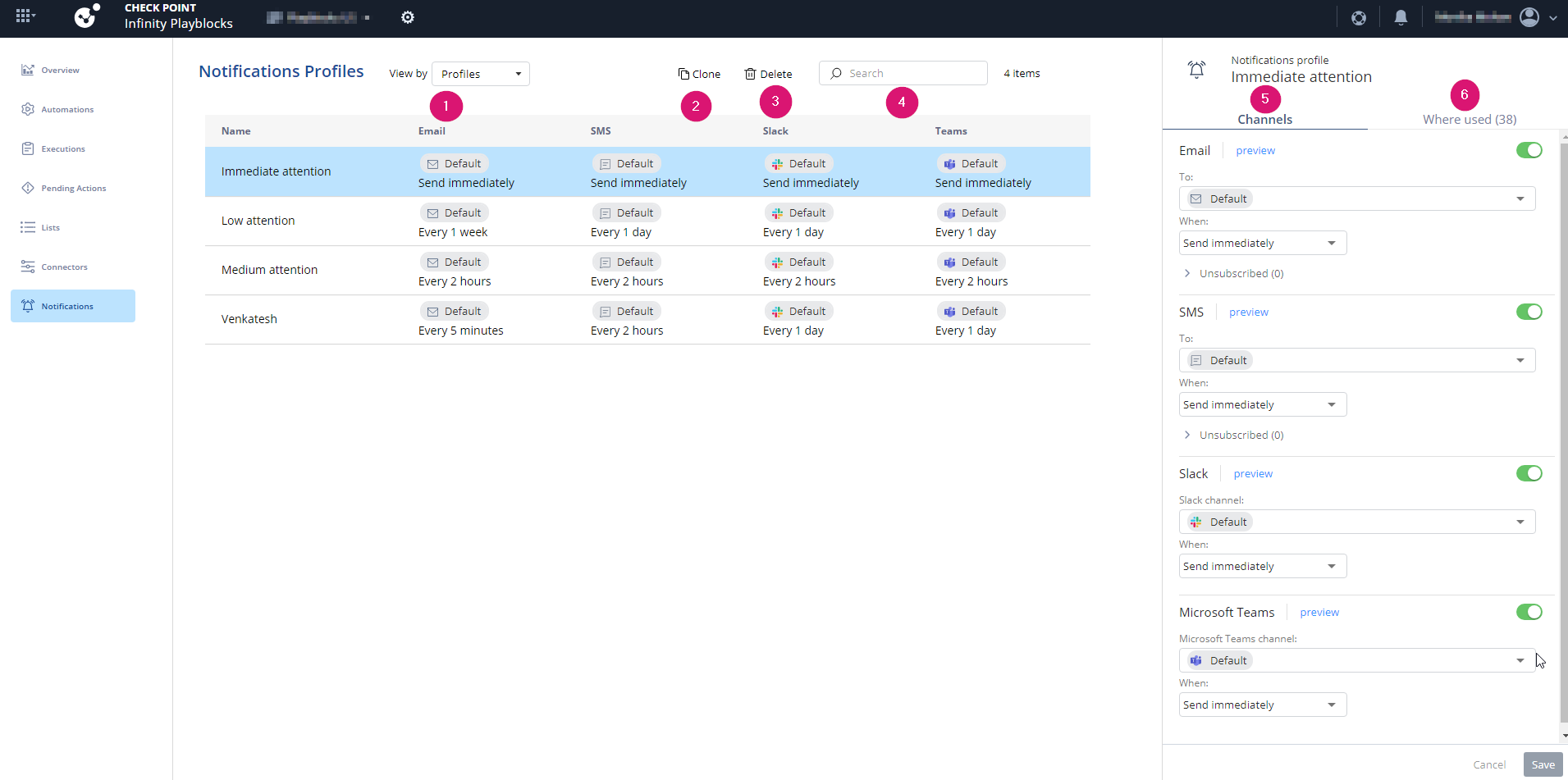
| Legend | Description |
|---|---|
|
1 |
Select a view: |
|
2 |
|
|
3 |
|
|
4 |
Search for a specific notification profile. |
|
5 |
|
|
6 |
Shows the automations where the notification profile is used. |