
Automations
Automations are a set of predefined preventives or mitigative actions that Playblocks executes automatically. When a malicious activity is detected in a Check Point Firewall log or when the XDR recommends a preventive action on the Check Point Firewall, Playblocks automatically correlates this to a predefined automation and executes it.
You can customize automations according to your organization's needs. For information on how to customize automation, see Customization in Playblocks.
To view the Automations page, access Playblocks and click Automations.
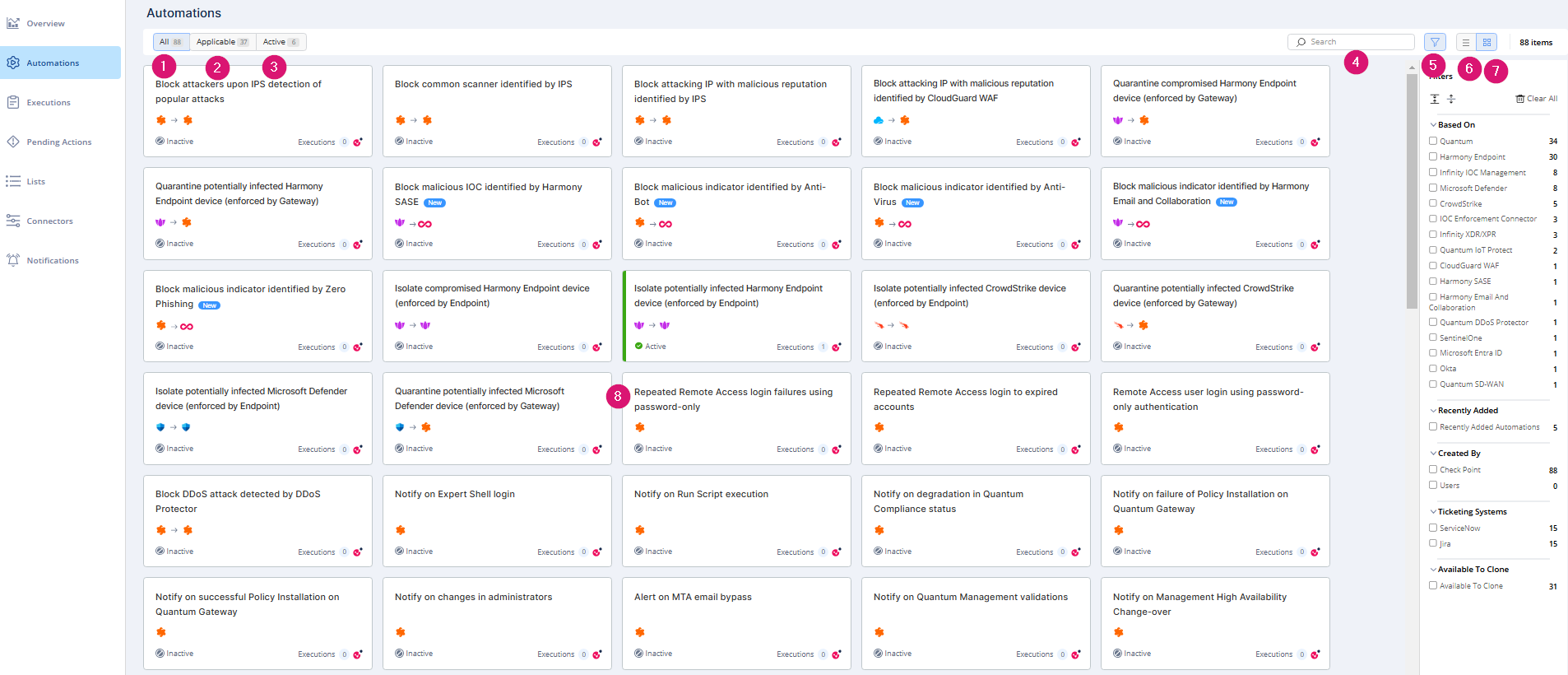
| Legend | Item | Description |
|---|---|---|
| 1 | All | Displays all automations supported by Playblocks. |
| 2 | Applicable | Displays only the applicable automations based on your onboarded products. |
| 3 | Active | Shows all enabled automations. |
| 4 | Search | Search for an automation. |
| 5 | Filter | Filter the automations based on the source of the automation, recently added automations, created by, ticketing systems, and available to clone. |
| 6 | List | Displays automations in a list view. |
| 7 | Card | Displays automation in a card view. |
| 8 | Automations |
Automation card. 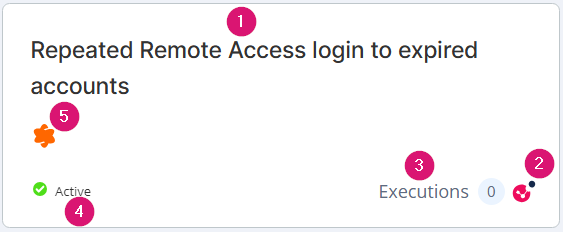
|


 Microsoft Defender
  CrowdStrike