Browser Only Settings

In this section, you can set the risk levels for iOS devices and enable or disable ONP for specific browsers. To enable these settings, you must set Network Protection Working Mode as Browser only. For more information, see General Settings.

For queries on operating your corporate VPN and Browser only VPN in tandem, contact Check Point support.
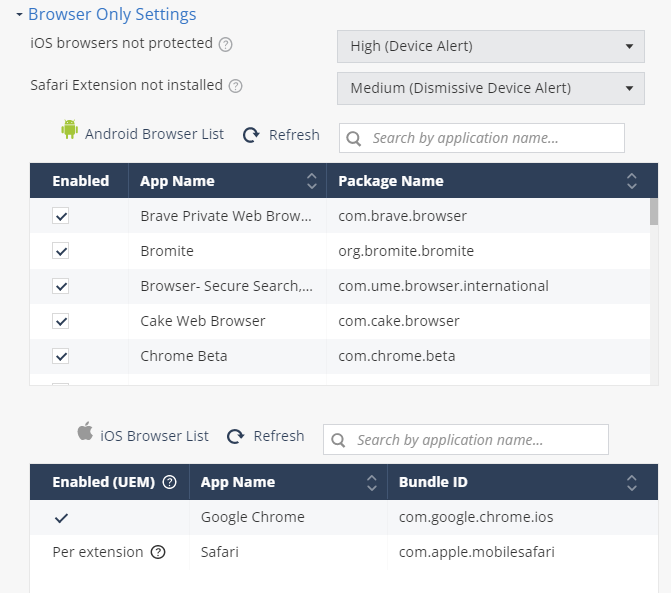
  1. Go to Policy and select a policy profile.
  2. Click any one of these:
    • Device

    • Application

    • File

    • Network

  3. Go to Network Protection > Browser Only Settings and set these parameters:
    Item Description Value
    iOS browsers not protected Set the risk level if the iOS browsers are not protected on the device.
    • No Risk (Default)

    • High (Device Alert)

    • Medium (Device Alert)

    • Medium (No Device Alert)

    • Medium (Dismissive Device Alert)

    • Low

    • No Risk

    Safari Extension not installed Set the risk level if the Safari browser extension is not installed on the device.
  4. To save the policy changes, click Save.