
Freshdesk Ticketing
The Freshdesk Ticketing connector enables Playblocks to create, retrieve, and close tickets in Freshdesk.
The Freshdesk Ticketing connector enables Playblocks to create, retrieve, and close tickets in Freshdesk.
Before you begin, make sure you have access to your Freshdesk instance and a valid Freshdesk API key. See Appendix J - Obtaining a Freshdesk API Key
Configuring the Freshdesk Ticketing Connector
-
Under Ticketing, select Freshdesk ticketing.
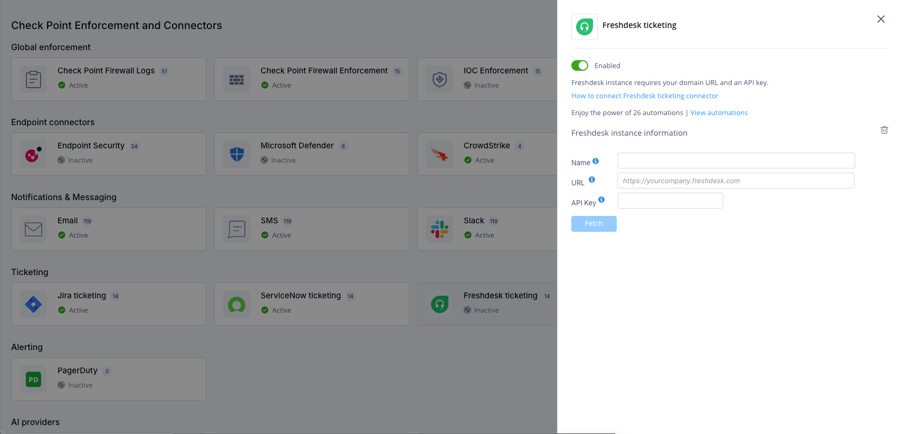
-
Enter the Name, URL, and API Key.
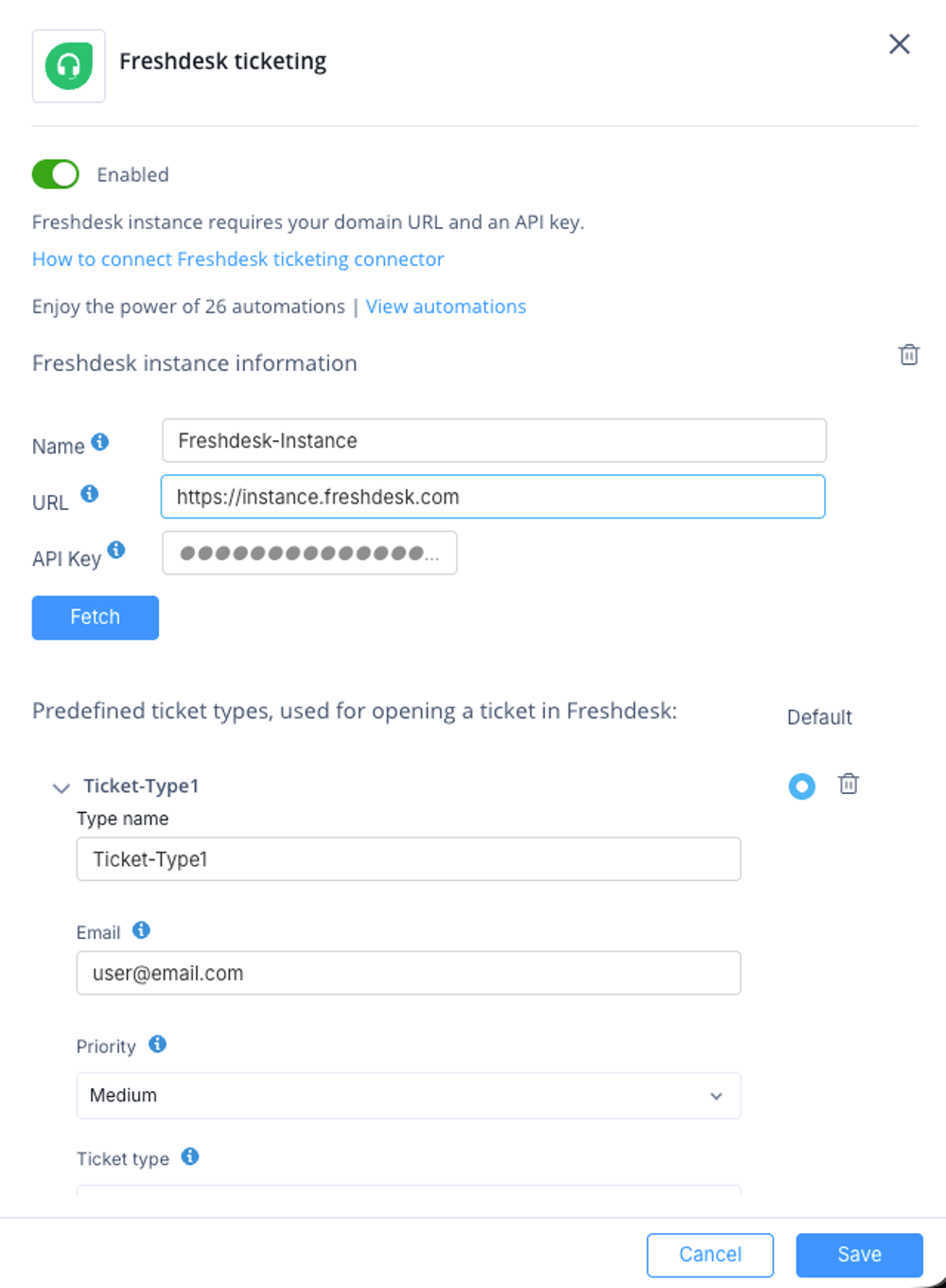
-
Configure one or more predefined ticket types.
Connector Configuration Fields
|
Field |
Description |
|---|---|
|
Name |
A unique name for the Freshdesk instance. |
|
URL |
The URL of your Freshdesk instance (for example, |
|
API Key |
A valid Freshdesk API key with permissions to create and manage tickets. See Appendix J - Obtaining a Freshdesk API Key |
Predefined Ticket Types
Predefined ticket types are used when opening tickets from Playblocks automations.
|
Field |
Description |
|---|---|
|
Type Name |
The name displayed in Playblocks when selecting a ticket type. |
|
|
The requester email address used when creating tickets. |
|
Priority |
The priority assigned to the ticket. |
|
Ticket Type |
The Freshdesk ticket type. |
|
Required Fields |
Additional required ticket fields in JSON format. |