
Appendix J - Obtaining a Freshdesk API Key
The Freshdesk Ticketing connector uses a Freshdesk API key to authenticate requests.
Prerequisites
Before configuring the connector, ensure that the Freshdesk account used by Playblocks has sufficient permissions to:
-
Create tickets
-
View tickets
-
Update tickets
-
Close tickets
The connector inherits the permissions assigned to the Freshdesk agent associated with the API key.
Obtaining an API Key
-
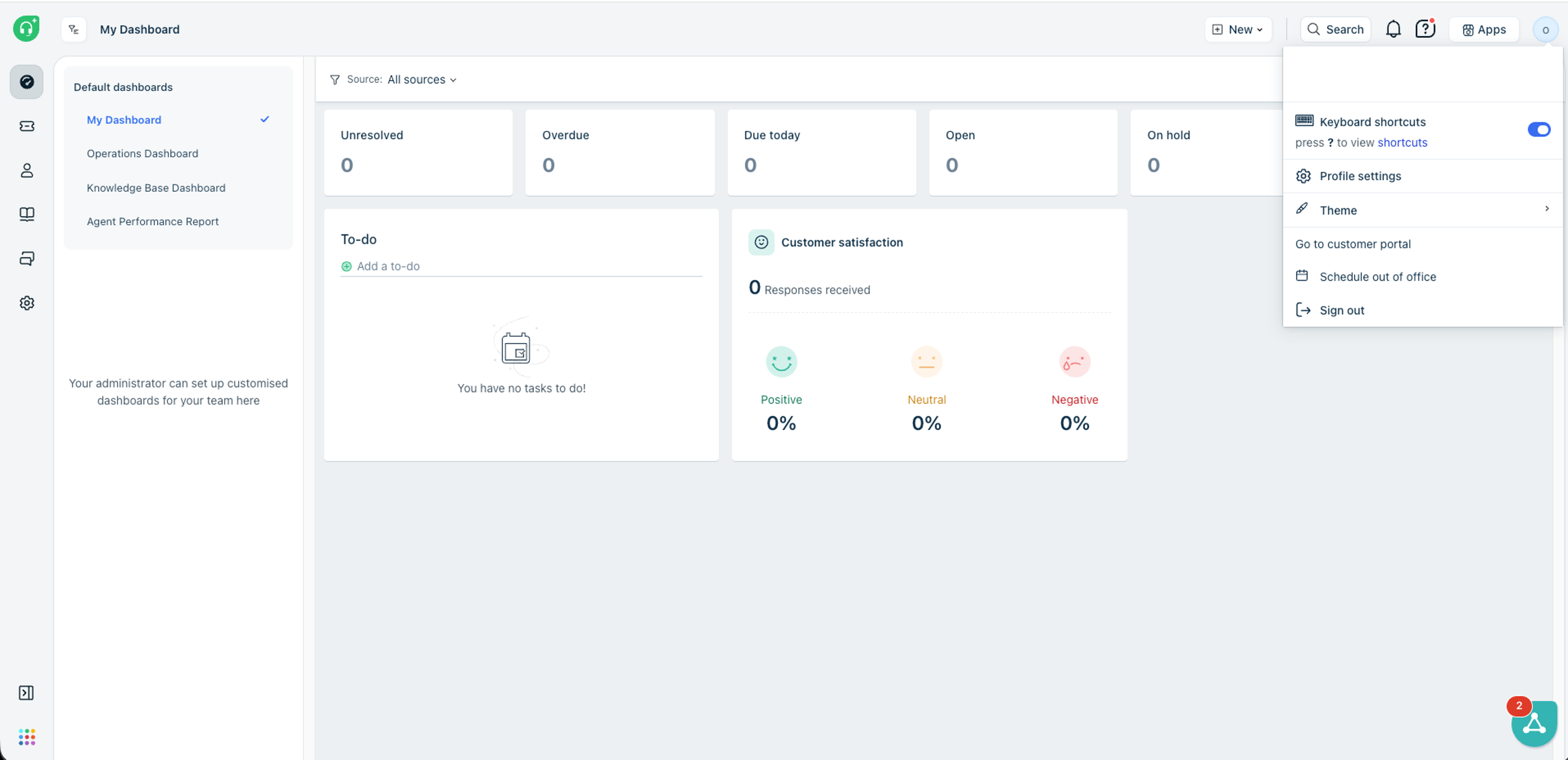
Select Profile Settings.
-
In the right pane, click View API Key.
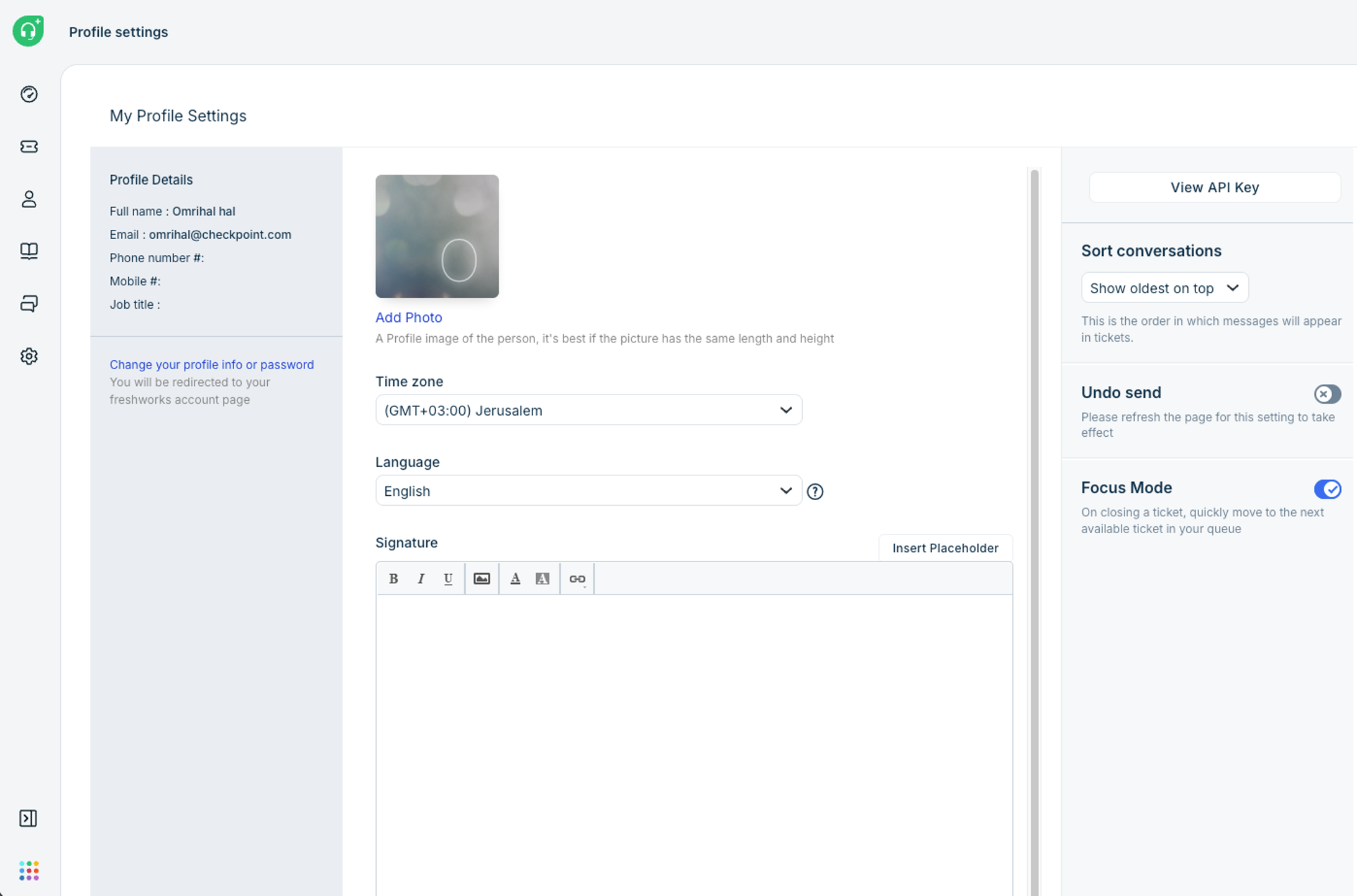
Use this API key when configuring the Freshdesk Ticketing connector.
Freshdesk URL
The Freshdesk URL is the URL used to access your Freshdesk instance.
Example:
https://company.freshdesk.com
Enter this value in the URL field of the connector configuration.