
Appendix E - Integrating CrowdStrike Falcon
The integration of Playblocks with CrowdStrike Falcon allows you to receive real-time alerts and take corrective actions using automated workflows. These workflows improve response time and threat management efficiency.
Note:
Make sure you have the necessary permissions to isolate (contain) and de-isolate devices.
Log in to the CrowdStrike Falcon web portal.
-
Go to Support and resources >
API clients and keys.
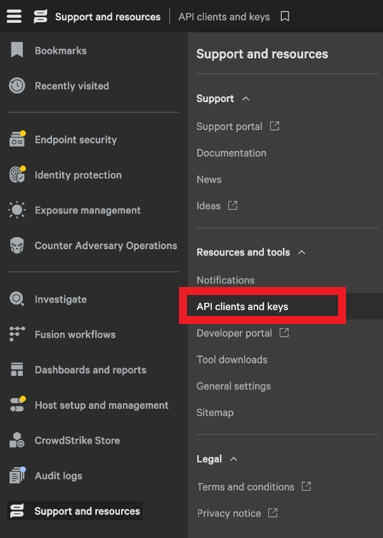
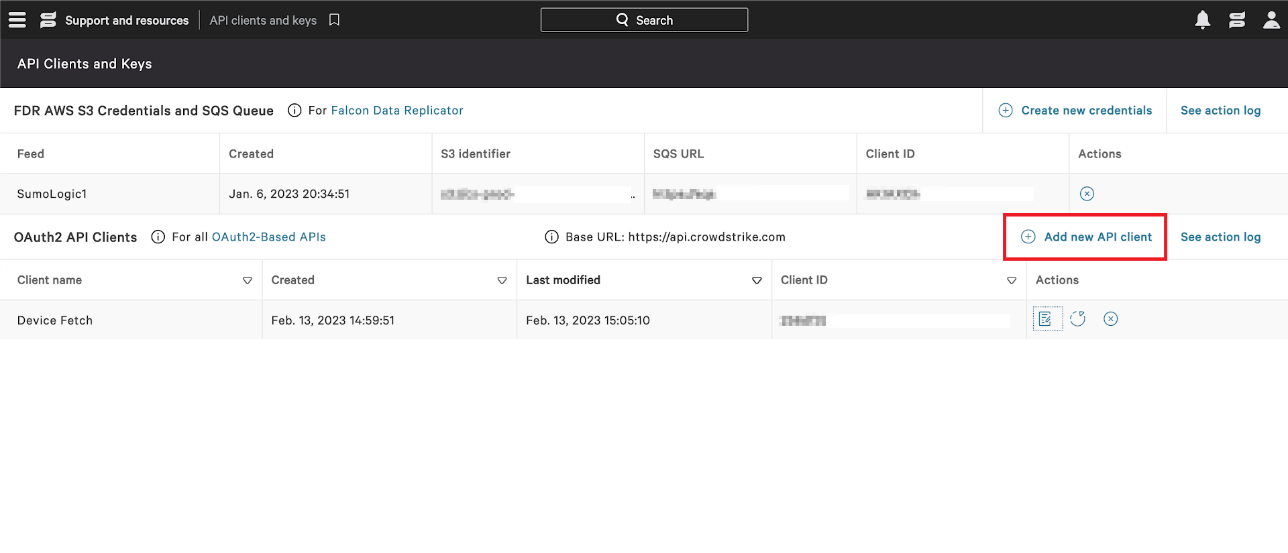
The API Clients and Keys window appears.
-
Click Add new API client.
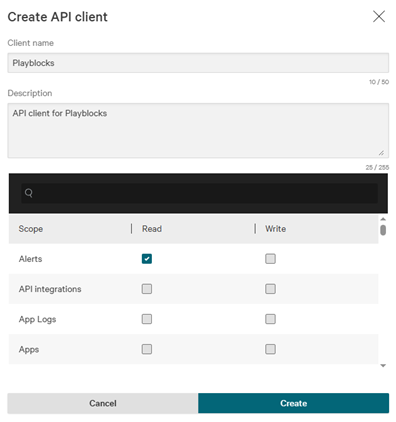
The Create API client window appears.
-
Click Create.
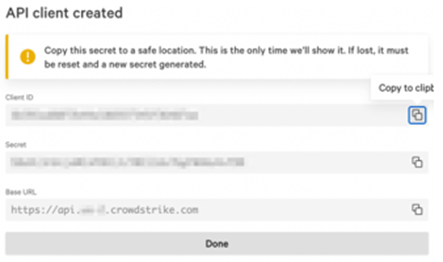
The API client created window appears.
-
Click
 to copy Client ID,
Secret Key and
Base URL.
to copy Client ID,
Secret Key and
Base URL.