Jump to main content
Check Point Playblocks Administration Guide
Index
Check Point Playblocks Administration Guide
Check Point Support
  1. Home
  2. Automations
  3. Customization in Playblocks

    Playblocks provides flexible customization options to tailor automations according to your organization's needs.

  4. Managing Trigger
  • Important Information
  • Introduction to Playblocks
  • Getting Started
  • Video Tutorials
  • Overview
  • Automations
    • Automation Parameters and Flowchart
    • Predefined Automations
    • Configuring the Automation Parameters
    • Running the Automation
    • Enabling the Automation
    • Approving, Rejecting or Reverting an Automation Execution
    • Customization in Playblocks

      Playblocks provides flexible customization options to tailor automations according to your organization's needs.

      • Creating Automation from Blank

        Creating an automation from blank allows you to build fully customized flows from scratch and tailor every step to your specific use case.

      • Managing Trigger
        • Notification
        • Enrichments

          Use enrichment steps to query the Reputation Service for IP addresses, URLs, or file hashes from previous step outputs. The enrichments provide threat intelligence data about the selected value.

        • Conditions

        • Actions

          Action steps perform operational tasks such as running automations, managing indicators, and sending external API requests.

        • Ticketing
        • Alert Steps

          Alert steps let an automation drive an incident through its full on-call lifecycle in Datadog and PagerDuty and other alerting platforms behind the same vendor-neutral steps.

      • Exporting/Importing Automation

      • Cloning Existing Automation

      • Creating Automation by AI

      • Automation Capabilities

      • Replace Trigger
      • Adding a Step to the Middle of an Automation
    • Webhooks
    • Authentications
  • Executions
  • Pending Actions
  • Lists
  • Connectors
  • Notifications
  • Appendix

Managing Trigger

You can manage a trigger by adding notifications, enrichments, conditions, or actions.

Managing Trigger

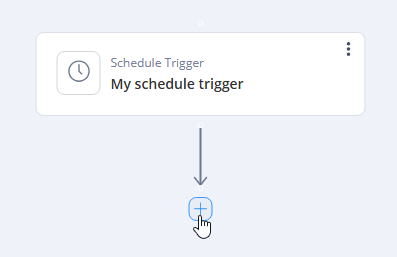
  1. Hover over the End button in your trigger.
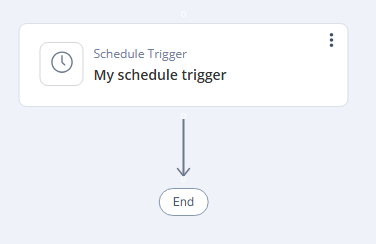
    It changes to +.

  2. Click +.
  3. Select the required option:
    • Notification
    • Enrichments
    • Conditions
    • Actions
    • Ticketing
    • Alerting
Generated by <oXygen/> XML WebHelp
27 October 2026
© 2023 - 2026 Check Point Software Technologies Ltd.