
Creating Automation by AI
AI allows you to create custom Playblocks automations using a natural language prompt. You can design fully tailored workflows from scratch with a single prompt.
It supports the following automation steps:
-
Triggers:
- Log Trigger
- Schedule Trigger
- Webhook Trigger
-
Notifications:
- Notify
- Ask
- Enrichments:
- Enrich IP
- Enrich URL
- Enrich File
- Conditions:
- Condition
- Actions:
- Add to list
- Create IOC Management Indicators
- AI Agent
- Ticketing:
- Open ticket
- Get Ticket
It can generate automations based on Check Point Firewall logs and supports these log trigger conditions:
-
Count Logs
-
Suppress Logs
-
IP Geolocation
-
The AI customization is supported only on Management.
-
All validations applicable to custom automations also apply to those created by AI. For example, the automation must start with a trigger and exclude unsupported steps.
-
This feature is limited to creating new automations only and cannot edit existing ones or perform other Playblocks actions. General queries about Playblocks are not supported.
-
AI enables you to create automations with natural language prompts, requiring no manual setup. The Create a Custom Automation procedure provides a drag-and-drop interface, requiring users to manually configure each step. Both methods achieve the same automation result.
To create an AI automation:
AI automation creation is supported only in the EU, US, India, and Australia regions.
-
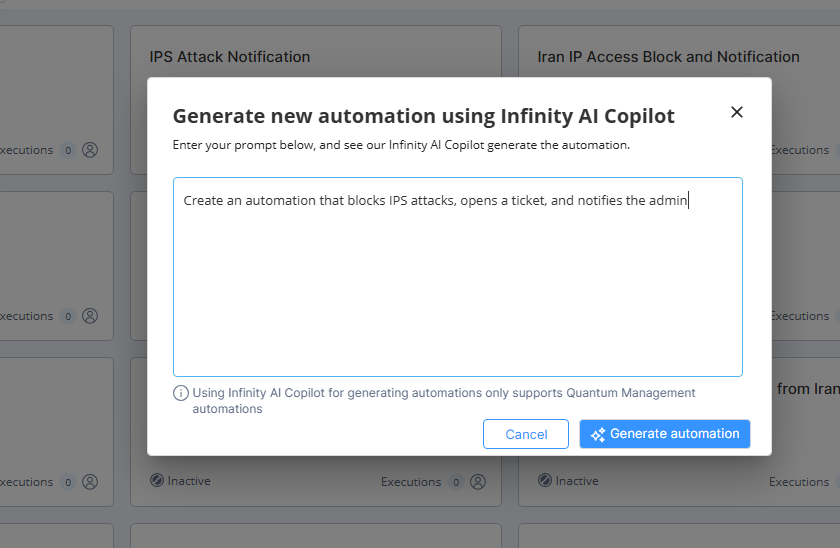
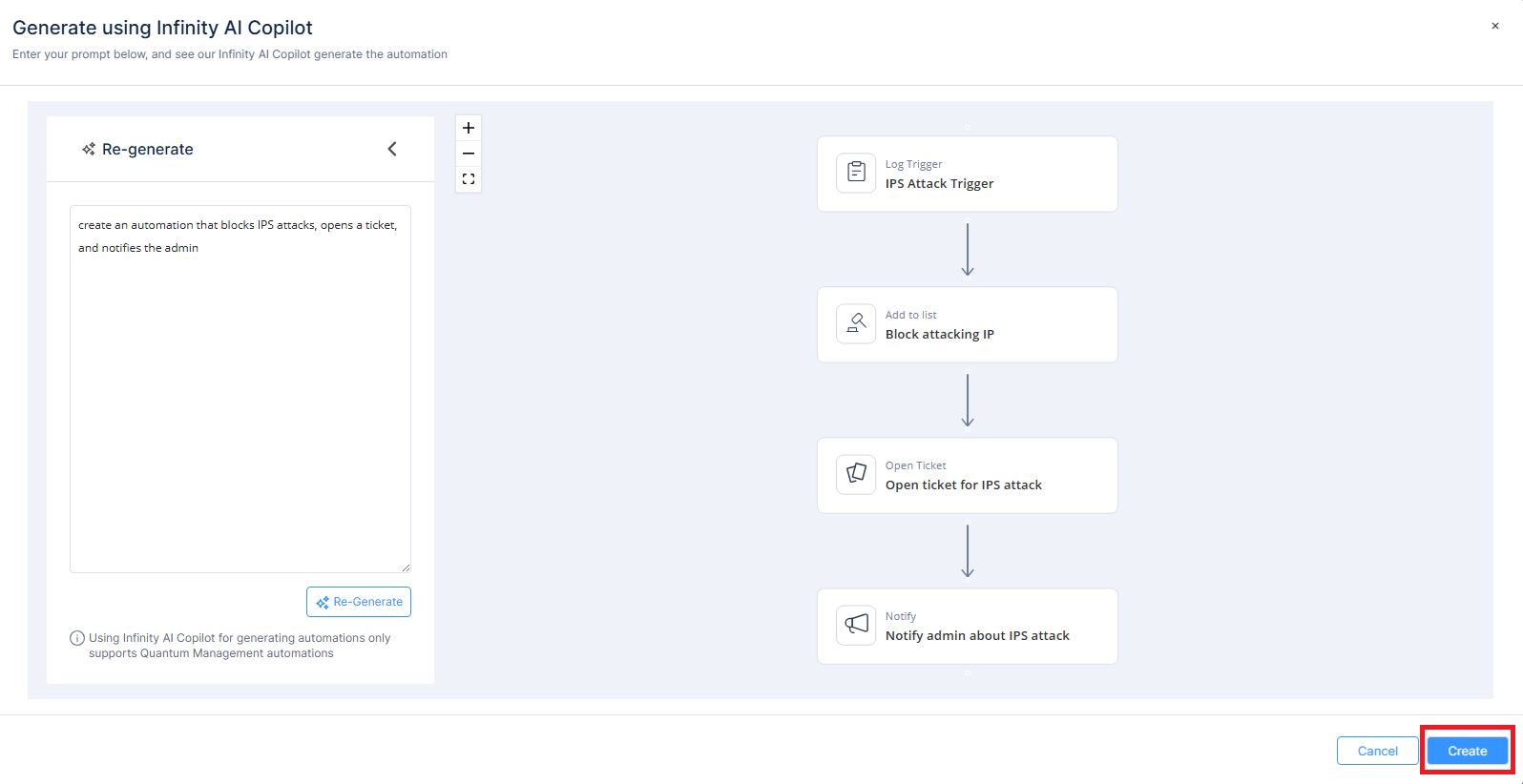
Enter your prompt. For example, Create an automation that blocks IPS attacks, opens a ticket, and notifies the admin.
-
Click Create.
For information on how to use custom automation step schema, see Appendix G - Using Custom Automation Step Schemas.