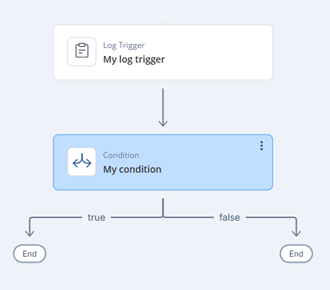
Conditions
Conditions are used to create branches in the automation flow based on logical evaluations.
Conditions
-
Click Add.
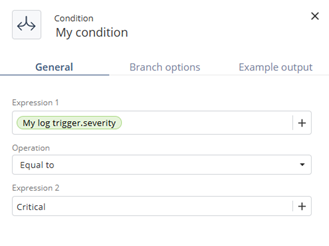
The My Condition window appears.
-
Specify these:
Both expressions can use static values or outputs from previous steps. Define what happens when the condition is met or not met.