
Application Exceptions
You can override the application's analyzed risk level according to the application package or developer certificate on Android devices. By default, it inherits the settings from the Global policy.
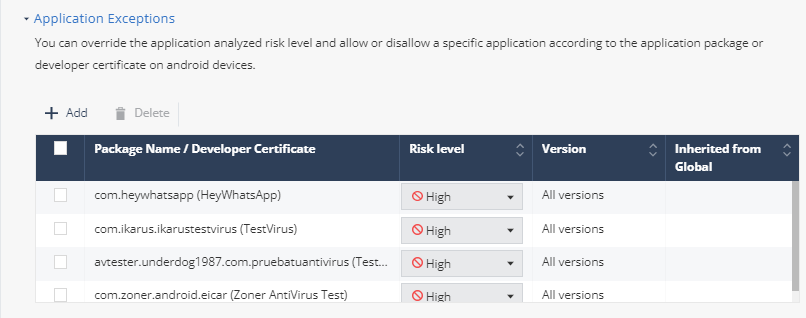
-
Select one of these:
- Package name:
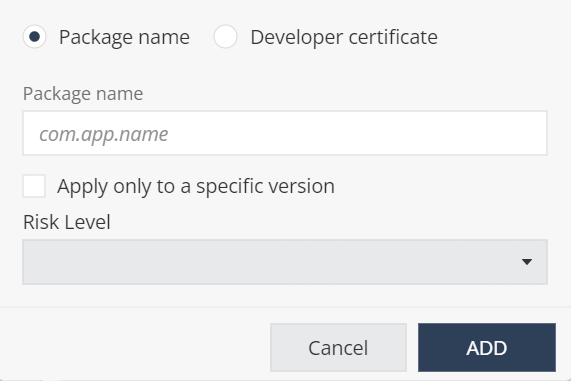
-
Enter the application Package name.
-
To apply the exception only to a specific version, select the Apply only to specific version checkbox.
-
In the Version field, enter the application package version number.
Note:The Version field appears only if you select Apply only to specific version checkbox.
-
From the Risk Level drop-down list, select the risk level:
-
High - The system changes the application's risk level to High Risk. As a result, the actual application triggers on-device mitigation and a pop-up event. This app triggers an increase in the risk level of the device.
-
No risk - The system changes the application's risk level to No Risk. The application no longer triggers on-device mitigation or a pop-up event.
-
Ask for user approval - When the user installs an app, the user is prompted about the risk and can allow or disallow the application.
-
-
Click Add.
-
Developer certificate (applies only to Android applications):
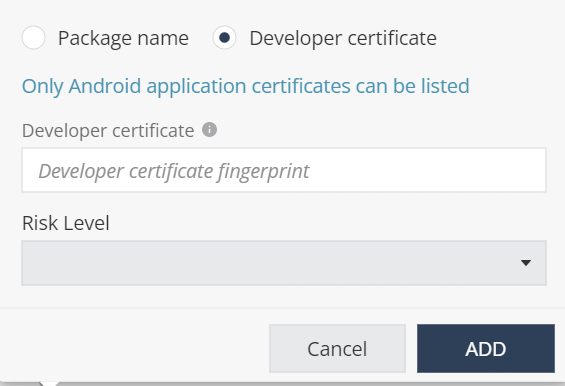
-
In the Developer certificate field, enter the certificate ID.
-
From the Risk Level drop-down list, select the risk level:
-
High
-
No risk
-
Ask for user approval
-
- Click Add.
-
- Package name:
If you do not know the applications details:
- Go to Forensics > Applications.
- Find the relevant application and click the Global Policy value.
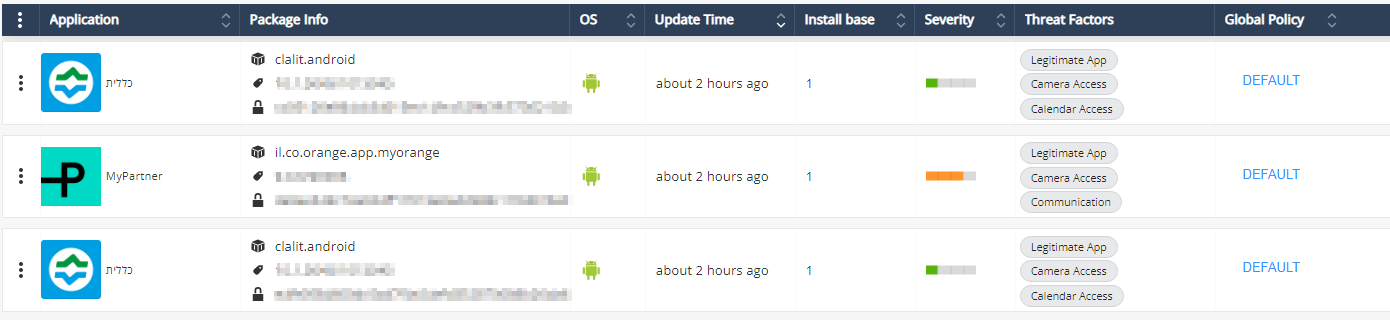
The Application Exceptions section appears with the chosen application details.
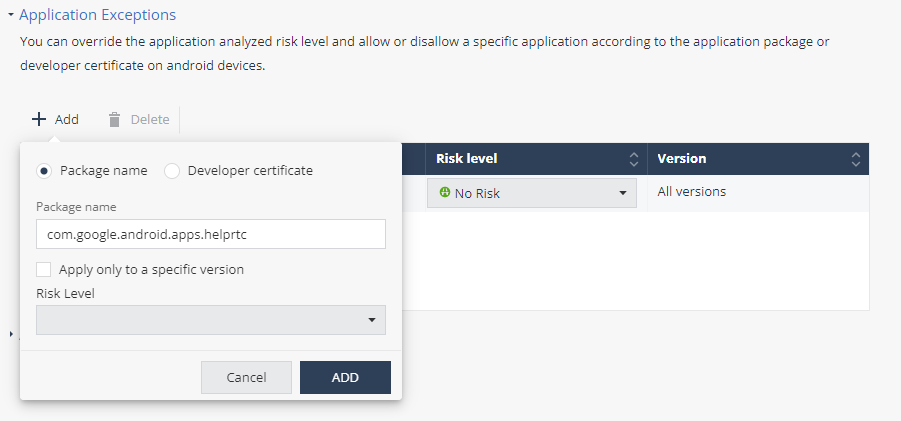
- Select the Risk Level and click Add.
- To save the policy changes, click Save.