
Graymail Workflows
Graymails are legitimate but often unwanted emails, such as newsletters and promotional emails, which many users find unnecessary, making it harder to find important messages.
The Graymail workflow moves these unwanted emails to a dedicated folder in the user's mailbox, ensuring a well-maintained inbox and enhancing productivity.
This workflow is supported for Office 365 Mail and Google Gmail.
To configure the graymail workflow and customize the dedicated folder name:
-
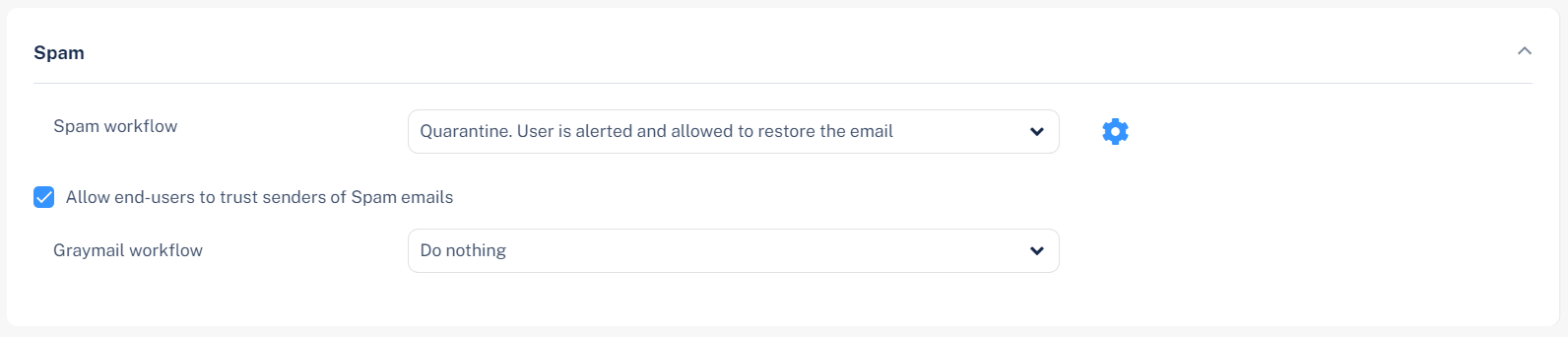
Go to the Spam section.
-
From the Graymail workflow list, select the workflow.
-
Do nothing
-
Same as Spam workflow
For more information, see Spam Protection.
-
Email is allowed. Deliver to Promotions folder.
-
In the Folder Name field, enter the folder name. The default folder name is Promotions.
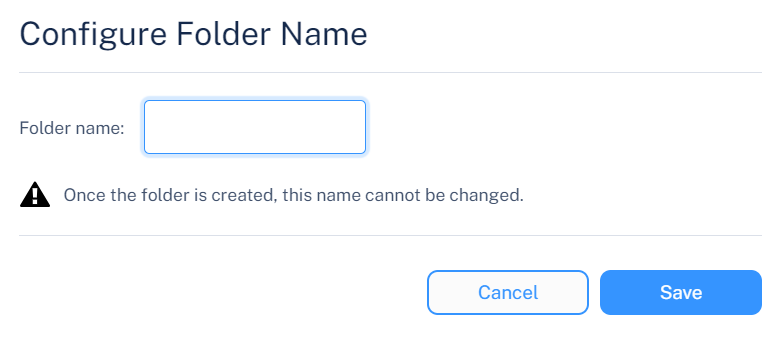
The system creates a dedicated folder in the user's mailbox.

Notes:
-
This workflow is supported only for Office 365 Mail.
-
To deliver graymail emails to a dedicated folder in Google Gmail, see Deliver to Dedicated Folder in Google Gmail.
-
-
-