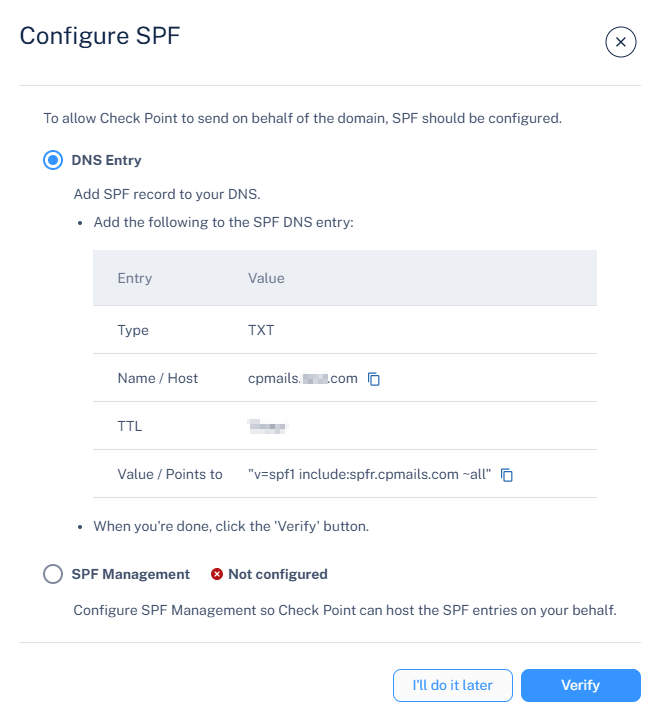
Configure the SPF Record Configure the SPF record in your domain's DNS to allow Avanan to send emails on behalf of your domain, prevent spoofing, and improve deliverability. Go to Security Settings > Relay > Domains. Click the icon for the required domain. Click Configure SPF. The Configure SPF pop-up appears. In the DNS Entry section, add or update the SPF record as shown below. SPF Record Example: Entry Value Type MX Name/Host cpmails.example.com TTL 3600 Value/Points to v=spf1 include:spfr.cpmails.com ~all After the DNS record is created, click Verify to validate and activate the configuration.
 icon for the required domain.
 icon for the required domain.