
Security Events
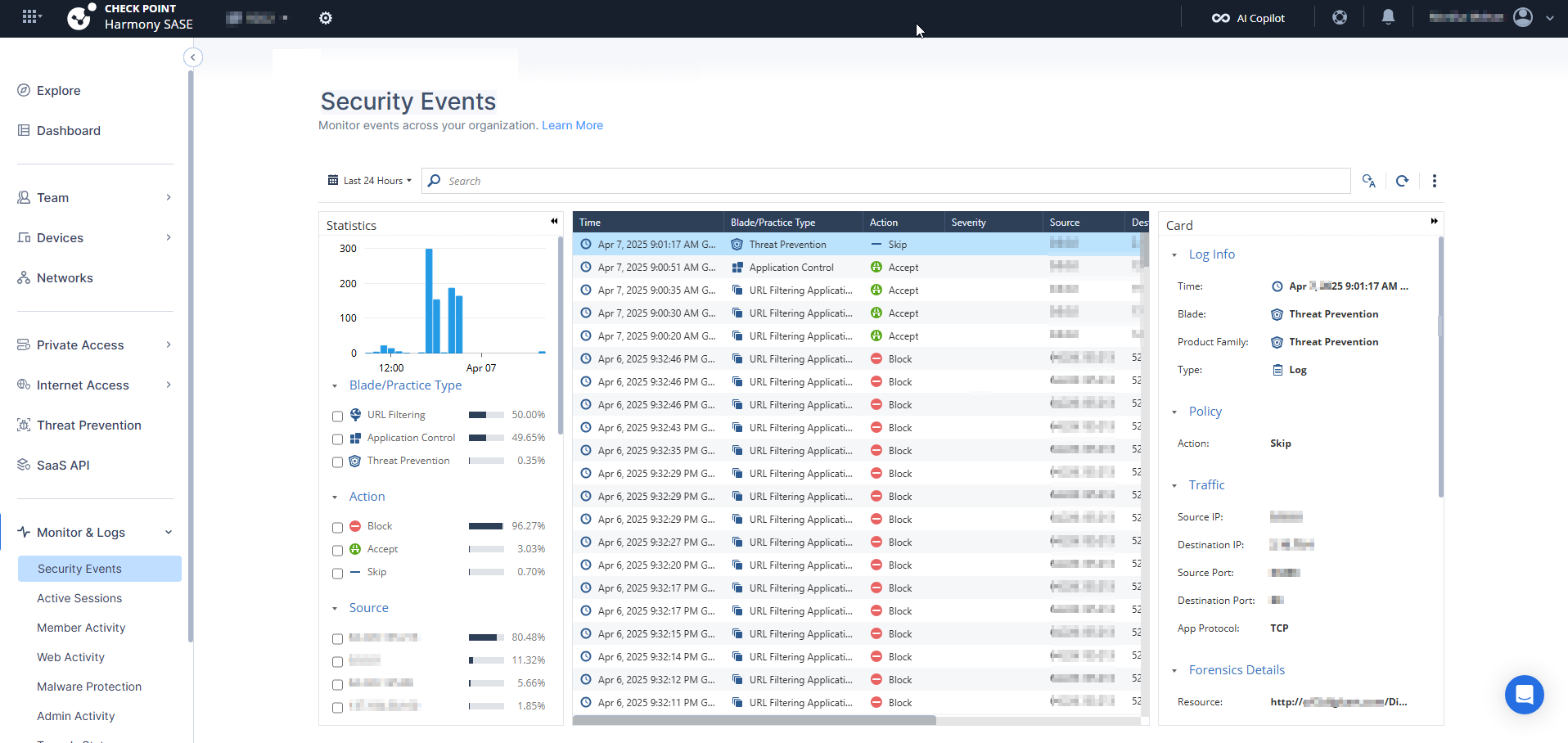
The Security Events provides an integrated view of security events directly within the SASE platform. It allows easy monitoring, searching, and filtering of SASE related security events.
To view the Security Events page, access SASE and go to Monitor & Logs > Security Events.
-
Security Events limit the number of events to 300 per search.
-
You can also search for additional parameters that do not appear as quick filters.
Supported Search Types
Security Events supports these search types:
-
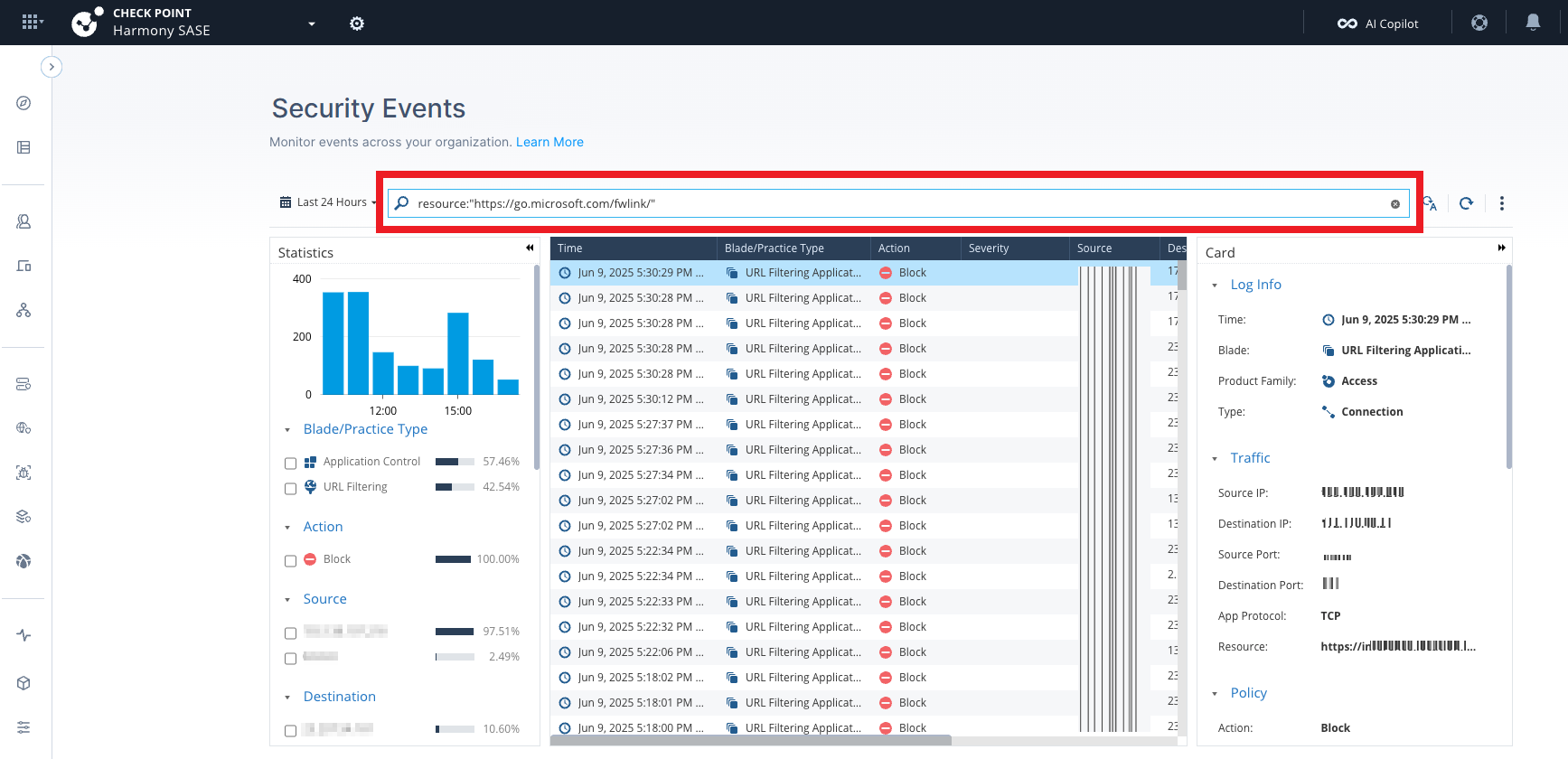
Exact match - Searches a specified field for an exact value.
Examples:
- URL resource:
resource:"https://go.microsoft.com/fwlink/" - Destination port:
dst_port:443 - Source port:
src_port:55321 - Device name:
device_name:"DESKTOP-123"
- URL resource:
-
Free text - Searches fields that appear in the event card but do not appear as table columns.
Examples:
443partial-email-username
-
IPv4 free text - Searches the source and destination IPv4 addresses.
Example:
-
1.2.3.4/24- Returns matching IP addresses in the specified subnet.
-
-
Wildcard - Searches for a partial value in a specified field.
Example:
resource:*google*
Supported Events
The Security Events supports these event types:
-
URL Filtering and Application Control
-
Threat Emulation
-
Malware Protection
-
Anti-Bot
-
Firewall Events
Statistics
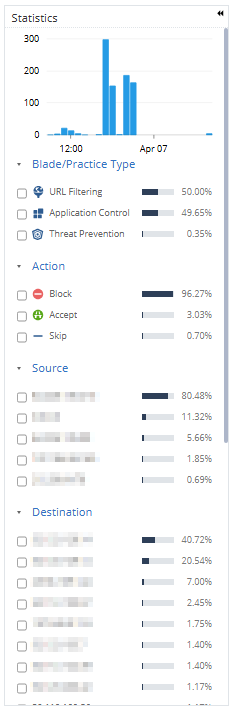
The Statistics panel provides a visual summary including these:
-
Event distribution by Blade Type
-
Breakdown by Actions:
-
Accept
-
Block
-
Detect
-
Skip
-
-
Source IP distribution
Events
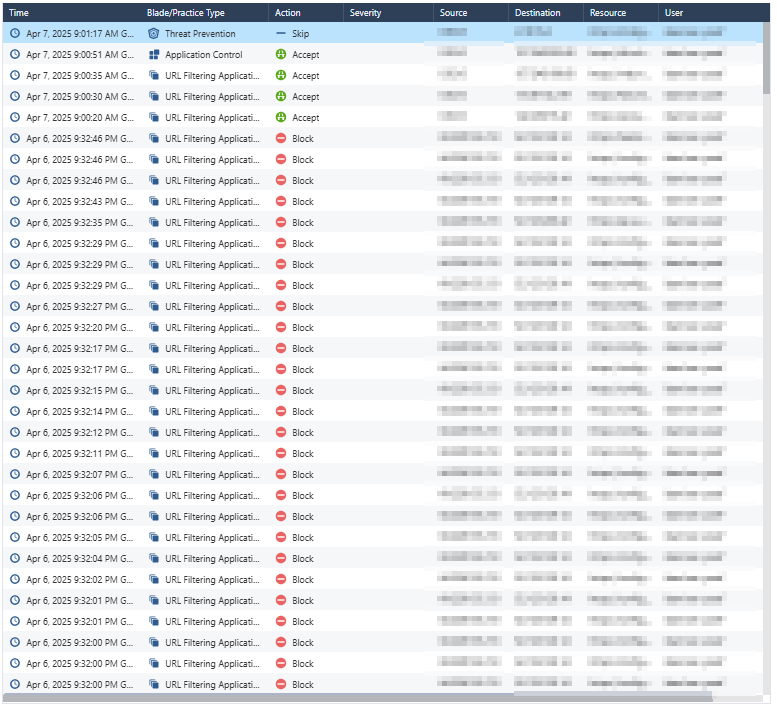
| Column | Description |
|---|---|
| Time | Timestamp when the event occurred. |
| Blade/Practice Type | Specific security module responsible for the event, for example, URL Filtering and Malware Protection. |
| Action |
Security action taken:
|
| Severity | Severity level of the event. |
| Source/Destination IP | Network endpoints involved. |
| Resource | URL or resource accessed. |
| User | User name. |
Card
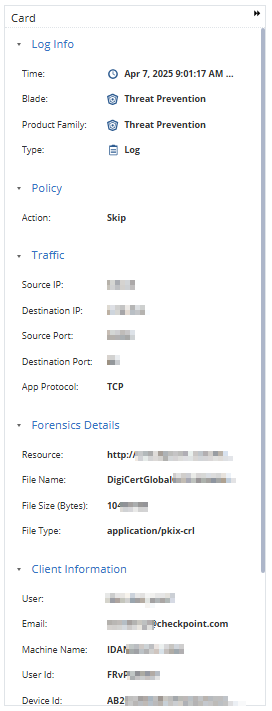
You can click on a specific event entry to open a detailed event card, which provides:
-
Complete event description.
-
Session details, such as ports, URLs, downloaded data and so on.
The card offers an in-depth view for thorough analysis.