
Tunnels Status
Note:
This page will be deprecated. Upon deprecation, you will be able to find all the new Tunnel related events from the Operational Events page.
The Tunnels Status page allows you to monitor the health of tunnels.
-
Tunnel up / down
-
Tunnel initialization failed
To view the Tunnels Status page, access the SASE Administrator Portal and click Monitor & Logs > Tunnels Status.
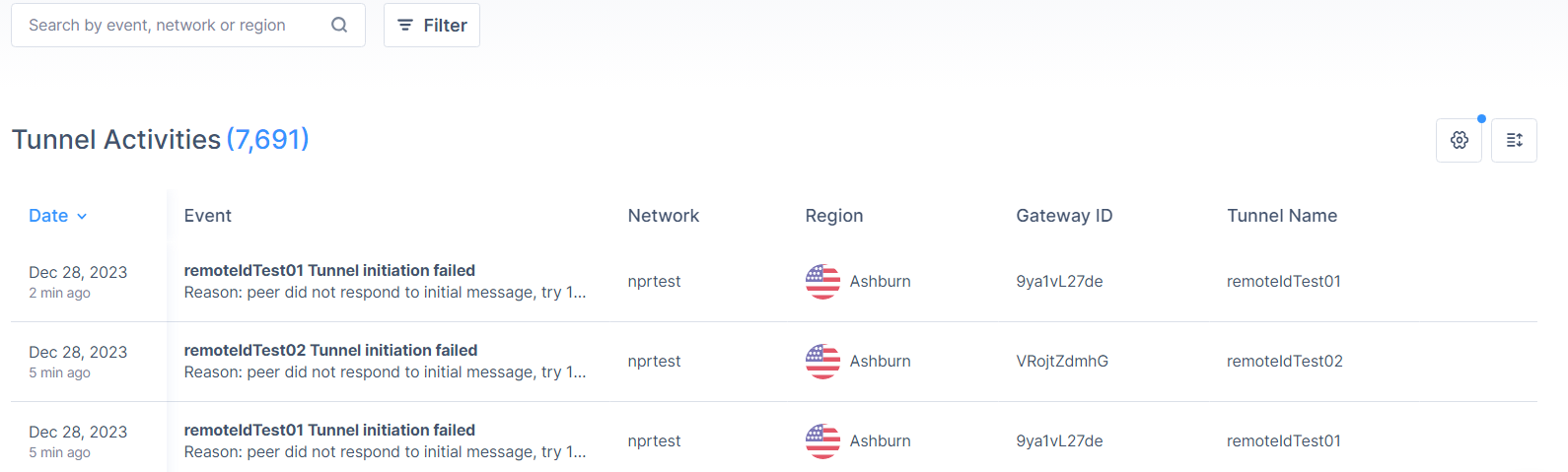
| Column | Description |
|---|---|
| Date | Date and time of the activity. |
| Event | Event type and the reason. |
| Network | Associated network. |
| Region | Region of the network. |
| Gateway ID | SASE gateway ID. |
| Tunnel Name | Tunnel name. |
| Tunnel Peer IP | Tunnel peer IP address. |
| Tunnel Source IP | Tunnel source IP address. |
| Tunnel Type | Tunnel type. |
To select the columns required in the table, click the  icon and select the columns.