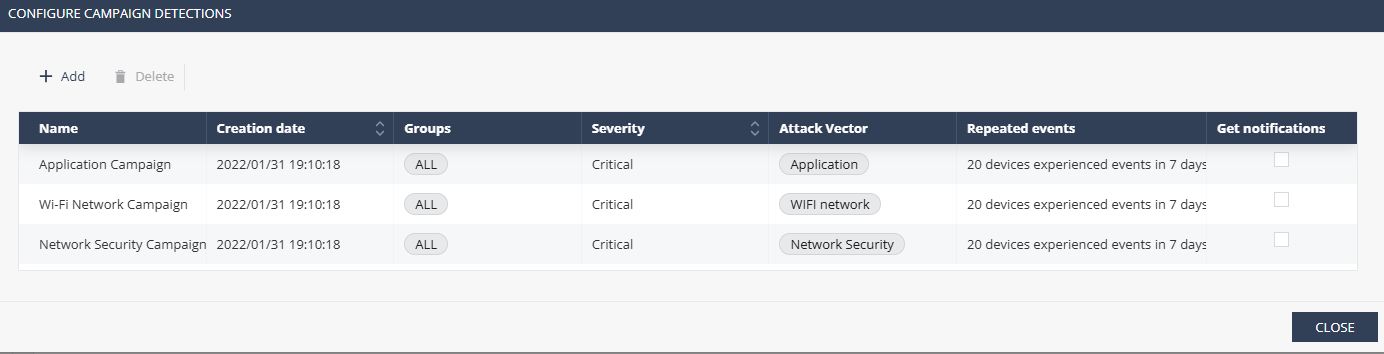
Campaign Detection
A campaign is an attack using the same attack vector several times. For example, Network Security.
In the Campaign Detection tab, you can define attack campaigns you will be notified about.
You can create pre-configured campaigns for:
-
Applications
-
Wifi
-
Network security
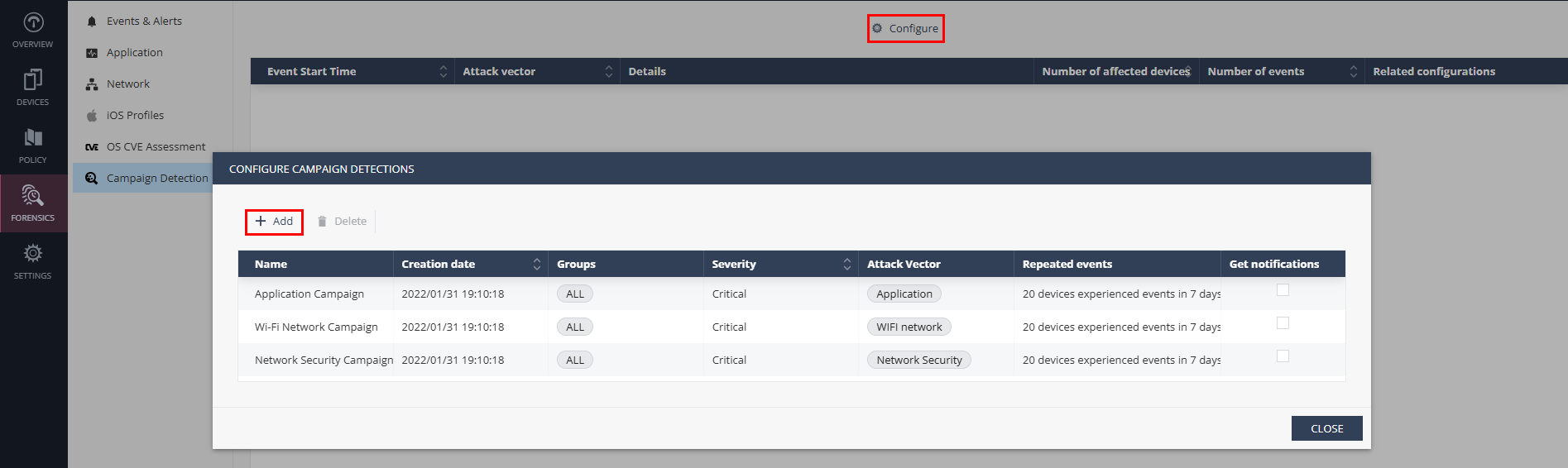
To create a new campaign detection:
- Go to Forensics > Campaign Detection.
- Click Configure > Add.
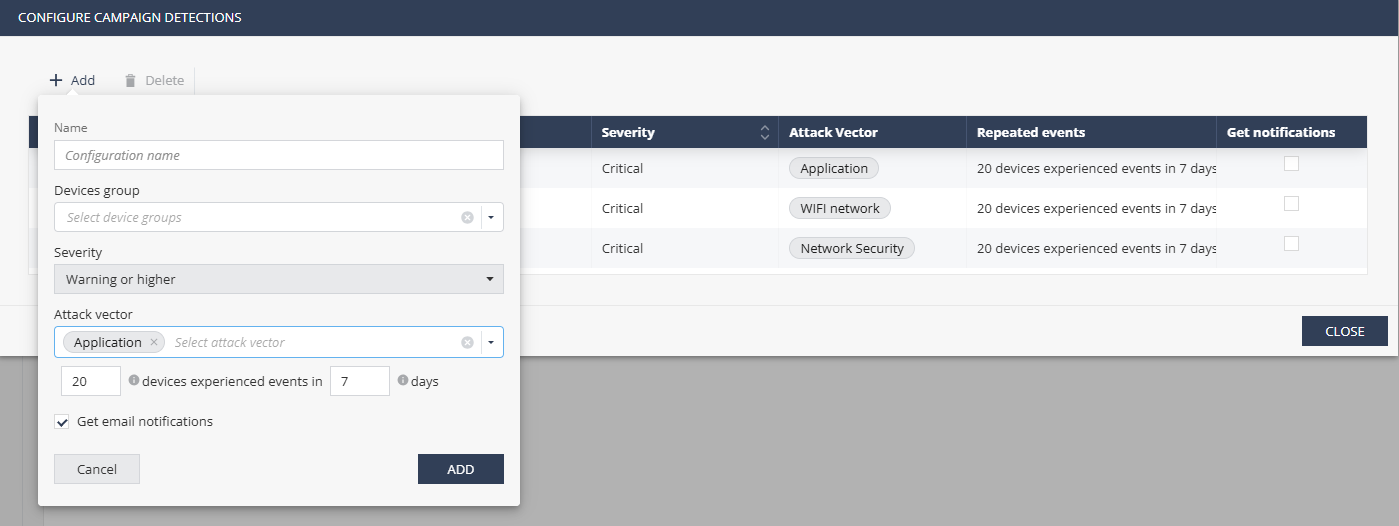
- In the configuration window, enter:
- Name - Campaign name
- Devices group - Select the device groups to apply the campaign
- Severity - Severity level of the event
- Attack vector - Select attack vectors
- Select the number of devices and days. This count defines the scope of your campaign.
- To receive email notification about the campaign, select the Get email notifications checkbox.
- Click Add.