
Automatic Client Update
You can automatically upgrade Endpoint Security clients to the latest version using the Automatic Client Update setting in the Software Deployment policy.
The Automatic Client Update feature is available only for cloud-managed Endpoint Security environments. It is not supported for clients managed by an on-premises Endpoint Security Management Server.
Use Cases
-
New Customer – Initial Deployment and Endpoint Client Update: Simplifies first-time deployment by automatically installing the latest approved endpoint client. This eliminates manual setup and prevents version mismatches across endpoints.
-
Existing Customer – Endpoint Client Update: Automates endpoint client updates across existing environments, reducing manual effort and operational overhead for IT teams.
-
Critical Update (Hotfix): Accelerates the rollout of urgent security fixes to minimize exposure to vulnerabilities.
-
Managed Service Provider (MSP): Enables MSPs to manage and update endpoint clients across multiple accounts through a centralized workflow.
Supported Operating Systems
The Automatic Client Update feature is supported on the Windows operating system only.
Automatic Client Update Procedure
-
Access the Endpoint Security Administrator Portal.
-
Go to .
-
Select the policy.
-
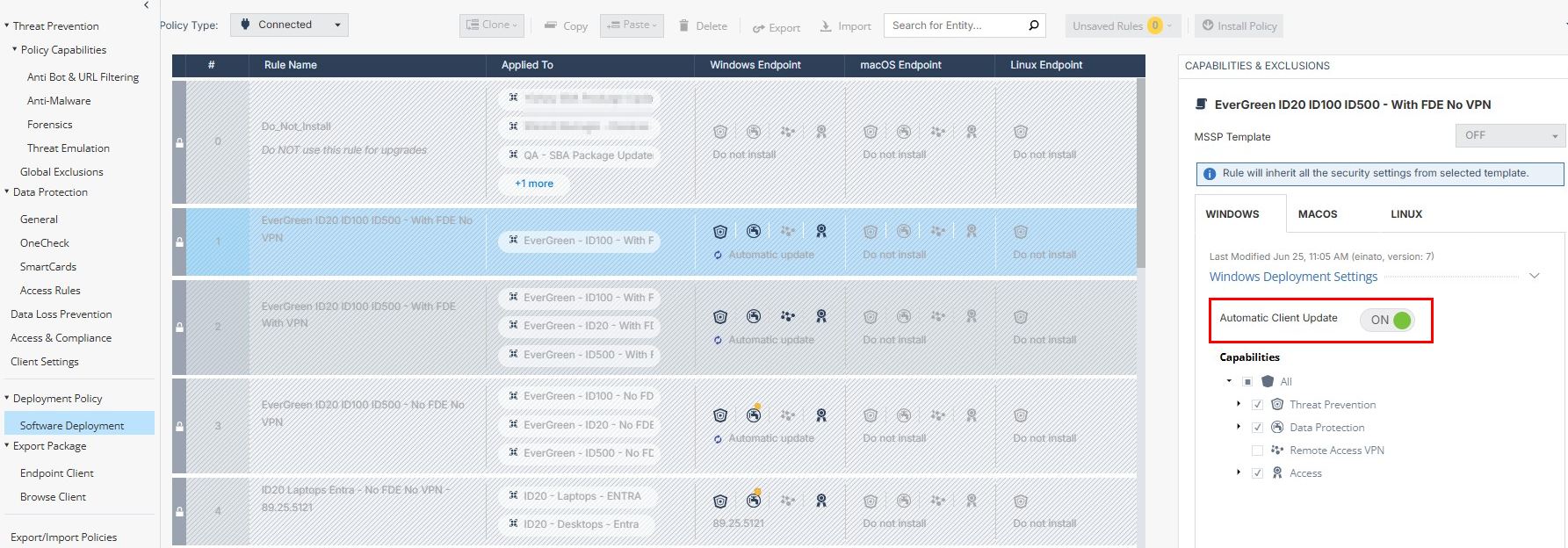
In the Capabilities & Exclusions pane, turn on the Automatic Client Update toggle for the appropriate operating system.
-
To enforce the policy, click Install Policy.
All Endpoint Security clients associated with the selected policy are automatically upgraded to the latest version.
Note:-
The Automatic Client Update setting is enabled by default for:
-
New tenants
-
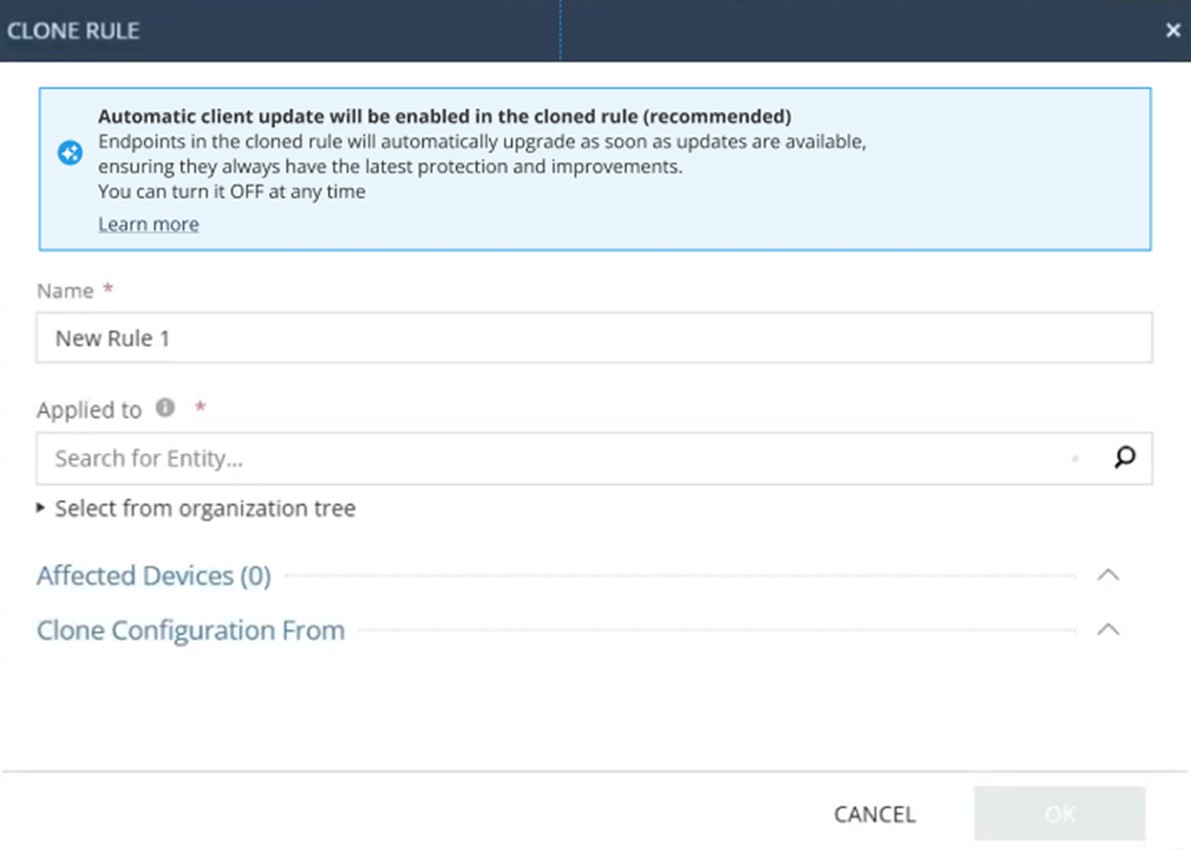
Newly cloned policy rules. This includes rules cloned in existing tenants, as this is the recommended configuration.
-
-
The Automatic Client Update setting is disabled by default for existing rules in existing tenants.
-
When you export a rule from one tenant and import it into another, the Automatic Client Update setting is enabled by default in the imported rule.
-
Administrators can modify the Automatic Client Update setting at any time before saving and installing the policy.
-
When Automatic Client Update is enabled, endpoint client upgrades are performed silently. End-user interaction is not required, unless the upgrade impacts user experience.
-
Blade selection and activation logic remains unchanged, regardless of whether Automatic Client Update is enabled or disabled.
-
The Automatic Client Update setting behaves the same for MSP accounts.
-