
Data Loss Prevention (DLP)
(DLP) detects and prevents unauthorized transmission of confidential information, such as social security numbers, credit card numbers, bank account numbers and so on.
Browser-Based DLP capabilities allow you to enforce DLP by associating data types with a DLP rule.
In the Data Loss Prevention tab, you can set rules based on specific events, data types and actions.
These actions are available within the DLP rules:
- Detect- Performs the DLP scan but does not block the data.
Prevent - Performs the DLP scan and prevents data transfer if it finds a match to a data type.
- Allow- Acts as exclusions, allowing data transfer in certain events.
Block - Blocks the data without the DLP scan.
Ask - Asks the user to provide justification before allowing data transfer based on the DLP scan results.
Redact - Performs a DLP scan and removes sensitive data based on a pre-defined set of . This action is available only for the Text-control category.
Force redact - Automatically replaces sensitive data with asterisk.
The policy allows the administrator to enable the Gen AI Protect feature on the endpoints. Gen AI Protect monitors the use of various generative AI applications by the endpoints. It detects and prevents the sharing of potential confidential information in the prompts to any Gen AI tools by the Endpoint Security Clients. For more information, see Enabling GenAI Protect.
DLP Logs
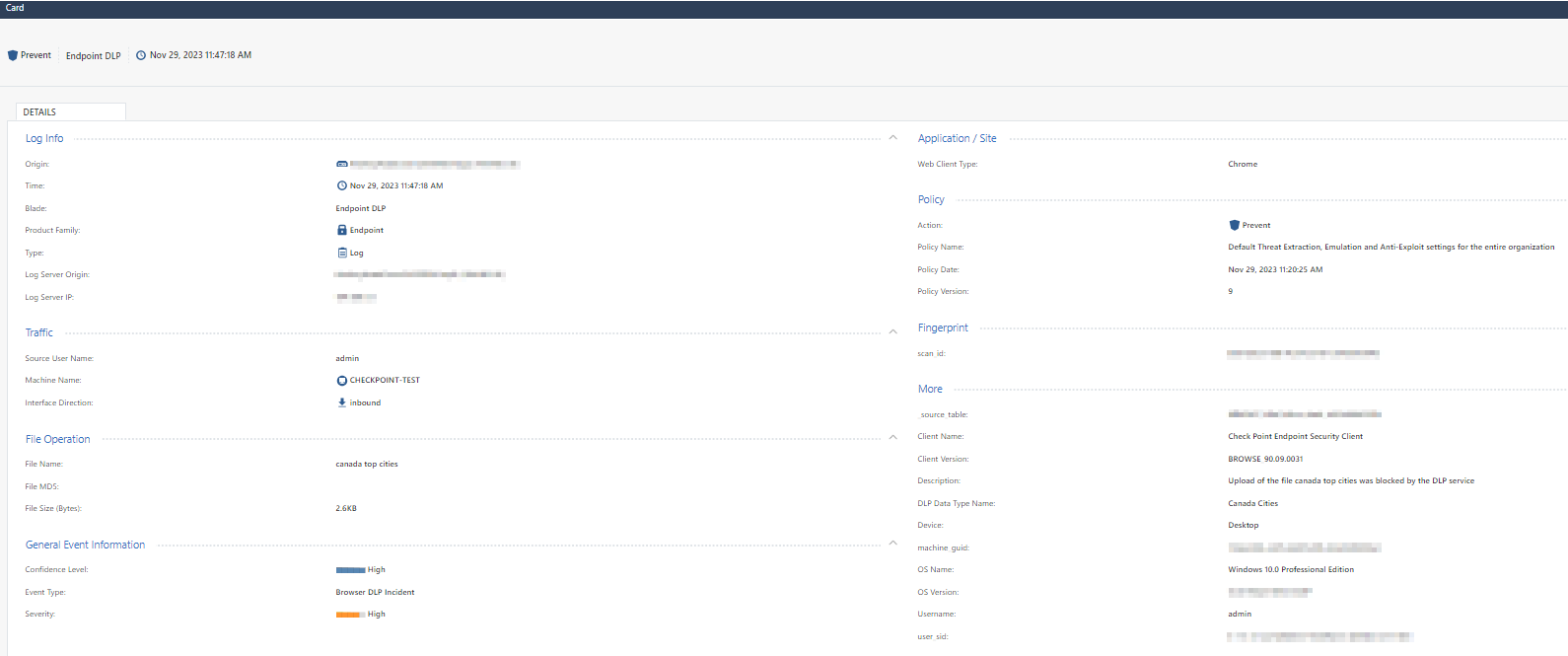
The system records all DLP scans in the logs along with Detect and Prevent events.
-
Logs are sent for Block, Prevent, Detect, Ask, and Redact actions.
-
File upload and File download events generate log for each handled file, regardless of whether the event is blocked, prevented, detected, or allowed.
-
Text control, Copy and Paste events send logs for blocked, prevented, or detected incidents.
- Data Loss Prevention is supported only with the Endpoint Security client version E88.50 and higher.
- When the file upload and download is blocked, the event is recorded in logs.
Use Case
You are a financial organization aiming to prevent the upload or download of files containing confidential and sensitive data, such as bank account numbers, tax and revenue details, by unauthorized users.
Known Limitations
-
This feature is supported only in the EU, US, India, Australia, and UAE regions.
-
Supported on the following versions of Endpoint Security Clients:
-
Windows: E88.50 and later
-
macOS: E89.10 and later
-
-
DLP is not applied if the file size is greater than 10 MB.
-
DLP is not applied when you drag and drop a folder to upload files, and in such cases, the upload of the folder gets blocked.
-
If the downloaded file is scanned by DLP, it is not sent to Threat Emulation.
-
The Application destination type is applicable only to Text Control and Paste events and is supported only on Windows client version E88.70 or later.
-
DLP policies do not apply to User-Based Virtual Groups. However, they do apply to machines and Machine-Based Virtual Groups.
In Inbound events, if a source is added for DLP scanning, files downloaded from that source are not scanned by Threat Emulation.