
Infinity AI Copilot
AI Copilot is Check Point's GenAI assistant, that boosts security effectiveness of administrators and SOC analysts.
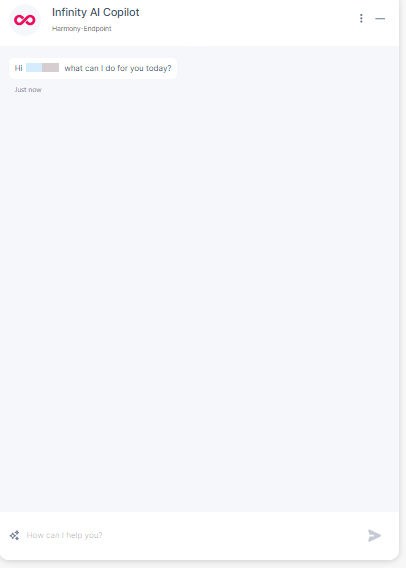
To access AI Copilot, click AI Copilot from the top banner, which opens the Copilot's chat window.

General Actions
-
To perform the general actions, access AI Copilot from the top banner.
-
Click
 in the Copilot's chat window to perform these actions.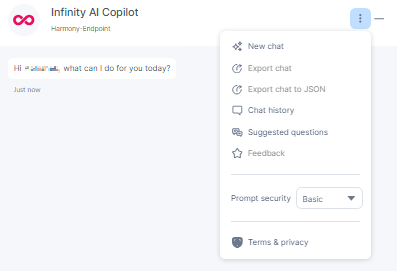
Action
Description
New chat
Clears the existing chat history and starts a new chat.
Export chat
Exports the current chat to an excel file.
Export chat to JSON
Exports the current chat to a JSON file.
Chat history
View chat history by month.
Suggested questions
Suggests follow-up questions related to the last response.
Feedback
To provide feedback on the chat. For more information, see Providing Feedback.
Prompt security
Scans the user prompt and response for protection, such as Data Loss Protection (DLP), Advanced Context Check (out-of-context and inappropriate text), and Jailbreak Check (prompts that try to bypass the AI engine security to obtain confidentially sensitive information in response). It supports three modes (see table below).
Terms & Privacy
View terms of service and privacy policy.
Prompt Security Modes
Mode
Scope
Data Loss Protection (DLP)
Advanced Context Check
Jailbreak Check
Basic User Prompt Yes No No Response No No No Optimized User Prompt Yes No Yes Response No No Yes Strict User Prompt Yes Yes Yes Response No Yes Yes
Providing Feedback
You can provide feedback on the copilot's responses. This feedback is monitored by Check Point for continuous improvement of the Copilot's responses.
To provide feedback on a response:
-
After you get a response, click one of these.
-
If the response needs improvement, click
 .
. -
If you like the response, click
 .
.
The Provide additional feedback window appears.

-
-
Enter your feedback and click Submit feedback.
To provide feedback on the conversation:
-
After you get the responses for your queries, click
in the Copilot's chat window and select Feedback.
-
Provide your responses regarding the conversation with the Infinity AI copilot.
-
Click
to agree. -
Click
to disagree.
-
-
Enter your feedback and click Submit feedback.
Supported Capabilities
General Query
You can perform general How to or What is queries about Endpoint Security product and incident specific queries related to the specific account or endpoints.
Sample Prompt
-
What do you recommend to harden my security configuration at Endpoint Security?
-
What is the best practice for policy configuration?
-
How should I optimize my security configuration?
-
List the policy rules that detect the most active attacks.
-
Identify the top 5 users with high\critical logs.
-
Show me top 3 devices with issues.
-
Is there any suspicious network activity?
-
List all critical events from IP
<IP_address>. -
List all events from machine
<MACHINE_NAME>.