Configuring the Threat Prevention Policy
Unified Policy
For Managed Security Service Providers (MSSP), Endpoint Security allows you to create Threat Prevention policy templates and attach them to the child accounts. For more information, see Templates for Child Accounts.
Endpoint Security introduces the unified policy for the Endpoint components.
The unified policy lets you control all security components in a single policy. The policy is composed of a set of rules. Each rule in the policy defines the scope which the rule applies to and the activated components. This is different from the policy Rule Base in SmartEndpoint, where each component has its own set of rules.
A Default Policy rule which applies to the entire organization is predefined in your .
Each new rule you create, has pre-defined settings, which you can then edit in the right section of the screen.
The Threat Prevention policy contains these capabilities which you can edit:
The Threat Prevention policy contains device rules and user rules.
-
You can use user objects only in the user policy, and you can use device objects only in the device policy.
-
There is no default rule for the user policy.
-
User rules override device rules.
-
You can use the same group in user and device rules at the same time.
-
If a group contains both users and devices, the rule is implemented according to the policy in which the rule is included.
To enable user policy, go to the , and select Mixed mode.
Parts of the Policy Rule Base
| Column | Description |
|---|---|
| Rule Number | The sequence of the rules is important because the first rule that matches traffic according to the protected scope is applied. |
| Rule Name | Give the rule a descriptive name. |
| Applied to | The protected scope, to which the rule applies. |
| Mode | The policy mode applicable to the rule. |
| Web & Files Protection | The configurations that apply to Download Protection, Credential Protection and Files Protection. |
| Behavioral Protection | The configurations apply to Anti-Bot, Anti-Ransomware and Anti-Exploit protections. |
| Analysis & Response | The configurations that apply to attack analysis and Remediation. |
| Client Version | Version number of the Initial Client that you downloaded. |
Threat Prevention Policy Toolbar
| To do this | Click this |
|---|---|
|
Clone, copy, paste, and delete rules |
|
|
Search |
|
|
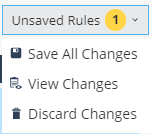
Save, view, and discard changes Note:
The View Changes functionality shows the policy type that was changed and the date of the change. |
|