
Customizing Smart Banners
To customize a Smart Banner
Click User Interaction > Smart Banners.
-
Click on the banner.
The banner's preview appears.
-
Click the
 icon on the banner.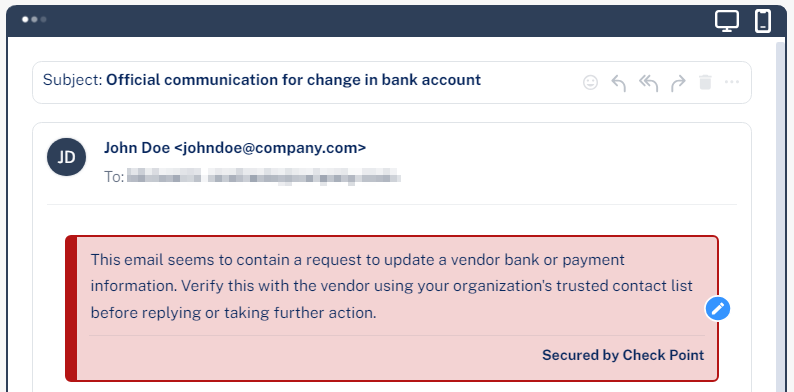
To change the banner's severity and color, select Low, Medium, or High.
Make the required changes to the text.
Click Save and Apply.
To remove the Secured by Avanan footer
Go to User Interaction > Smart Banners.
-
Click Settings next to the Smart Banners at top left corner.
The Smart Banners Config pop-up appears.
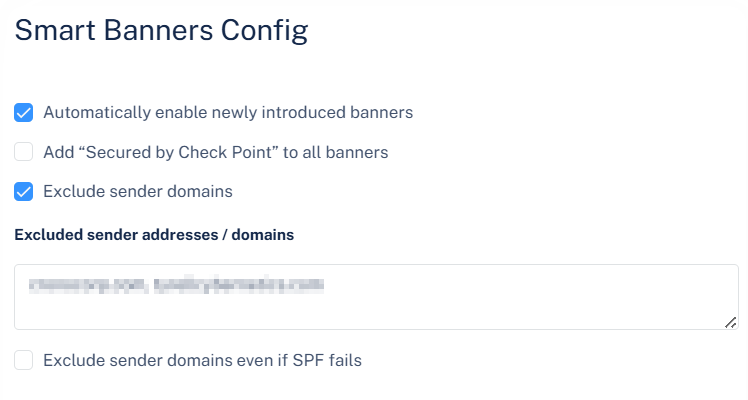
Clear the Add "Secured by Check Point " to all banners checkbox.
Click OK.