
Monitoring User Training Progress
Training Progress
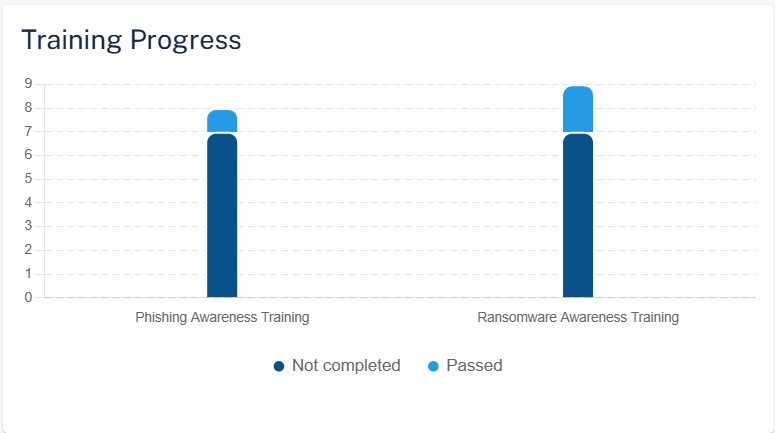
The Training Progress widget shows the training modules and their status in the selected time frame.
Training Status
The Training Status table shows the status of each training module.
Column |
Description |
|---|---|
Training |
Training module name |
Policy |
Name of the policy. |
Start Date |
Date on which the training module is assigned to the users. |
Training Status |
Training status: Not Started, In progress, Completed |
Users |
Users that are assigned the training module. |
Passed |
Percentage of users that have passed in the training module. |
Failed |
Percentage of users that have failed in the training module. |
Not Completed |
Percentage of users that have not started the training module. |
Users
The Users table shows the phishing simulation emails sent to the users and their training status in the selected time frame.
Column |
Description |
|---|---|
Name |
Name of the user in the organization. |
Title |
Job title of the user in the organization. |
Department |
Department the user belongs to within the organization. |
Phishing Simulation |
Type of simulation email sent to the user and their status. Click on the simulation name to view analytics filtered specifically for that simulation. See Monitoring Phishing Simulations. |
Awareness Training |
Training module name and their status. Click on the training module name to view analytics filtered specifically for that module. See Monitoring User Awareness Training Progress. |