
Password Protected Attachments - Administrator Experience
For password protected attachments, if Quarantine. User is alerted and allowed to restore the email workflow is defined for the policy, and if the end-user requests to release the email, the administrator is notified about the request.
To review the request:
-
To inspect the password-protected attachments before restoring the email.
-
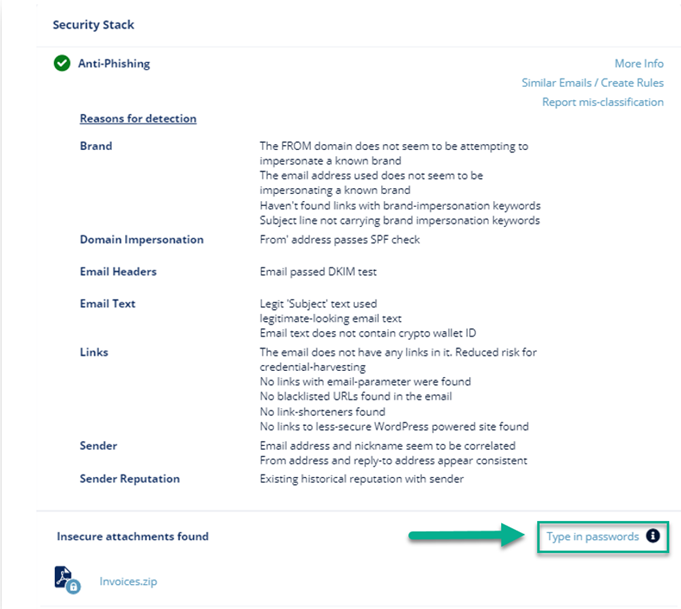
Click Type in passwords to enter the password for the attachment.
-
Enter the password for the attachment and click Submit.
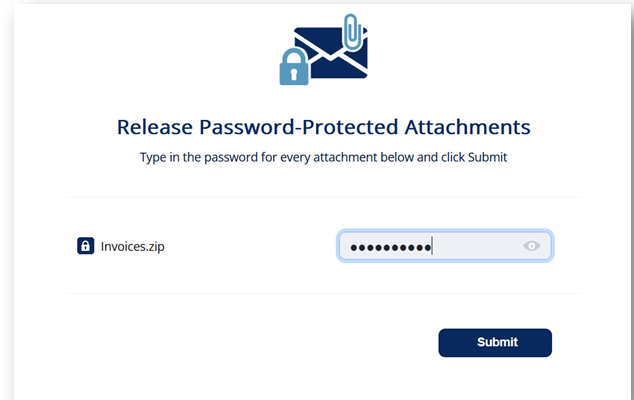
The Anti-Malware engine scans the attachment and gives a verdict. Depending on the verdict decide whether to restore the email or not.
-
Click Type in passwords to enter the password for the attachment.