
Enhanced DLP Policy using Microsoft Purview Sensitivity Labels
Avanan allows administrators to define Data Loss Prevention (DLP) policies using Microsoft Purview Sensitivity Labels, enabling effective management of sensitive data shared through emails, messages, attachments or files.
-
Relevant SaaS Applications: Office 365 Mail, OneDrive, SharePoint, and Microsoft Teams.
-
Supported file formats: Emails, DOCX, XLSX, PPTX, PDF.
To define Data Loss Prevention (DLP) policies using Microsoft Purview Sensitivity Labels:
-
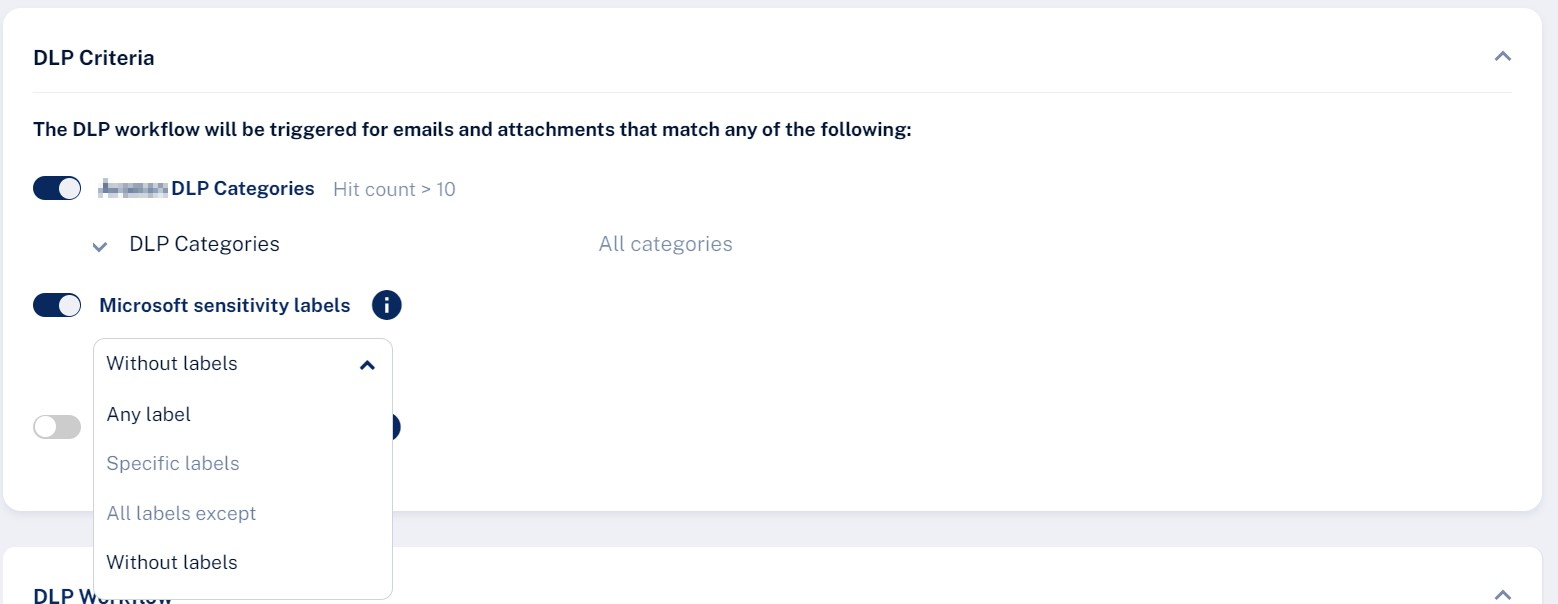
Enable the Microsoft sensitivity labels toggle button and from the list, select one of these.
-
Any label
-
Specific labels and then enter the label name
-
All labels except and then enter the label name
-
Without labels
Note:After enabling Microsoft sensitivity labels for the first time, an administrator must reauthorize the Avanan application to grant the InformationProtectionPolicy.Read.All permission. For more information, see Microsoft Graph permissions reference - Microsoft Graph | Microsoft Learn
-