Step 6: Retrieving the Logs Ingestion Endpoint
The logs ingestion endpoint is the Azure URL to which Avanan sends the events.
-
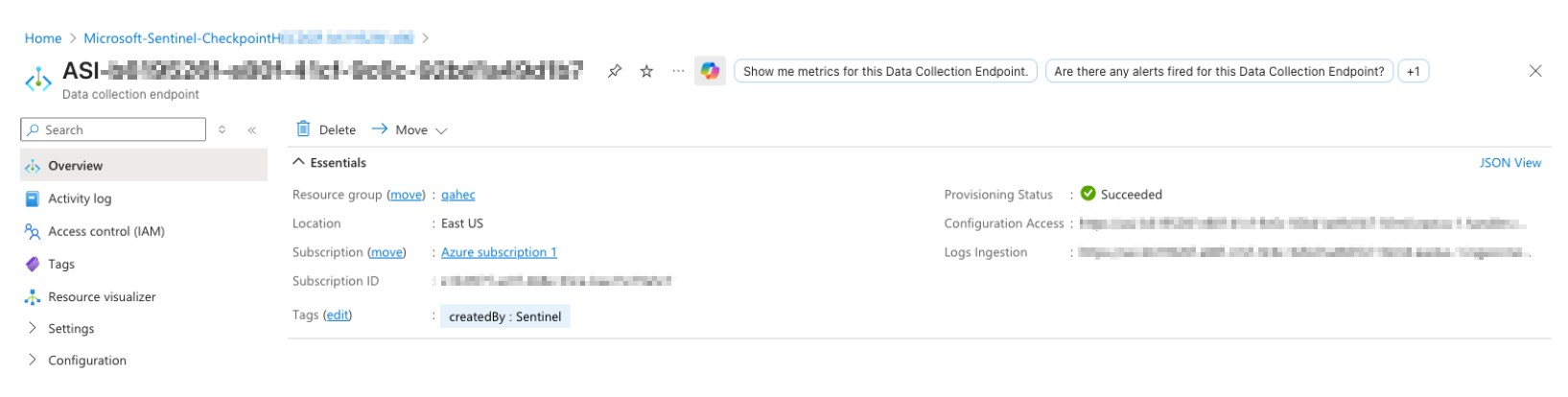
When a Data Collection Endpoint was deployed:
- From the DCR, open the associated Data Collection Endpoint.
-
In the endpoint overview page, locate Logs ingestion.
-
Copy the logs ingestion URL. For example, https://<endpoint-name>.<region>-1.ingest.monitor.azure.com.
Note:
Do not copy the Configuration Access endpoint.
-
When the DCR provides its own endpoint:
Some newer DCRs provide a native ingestion endpoint without a separate DCE.
- Open the relevant DCR.
- Select JSON view.
- Locate properties.logsIngestion.endpoint.
-
Copy the endpoint value.
Note:
A separate DCE is still necessary in some deployments, including certain private-link configurations.