Step 5: Retrieving the Data Collection Rule (DCR) Information
The Data Collection Rule defines the expected Avanan event format and routes the events to the custom table.
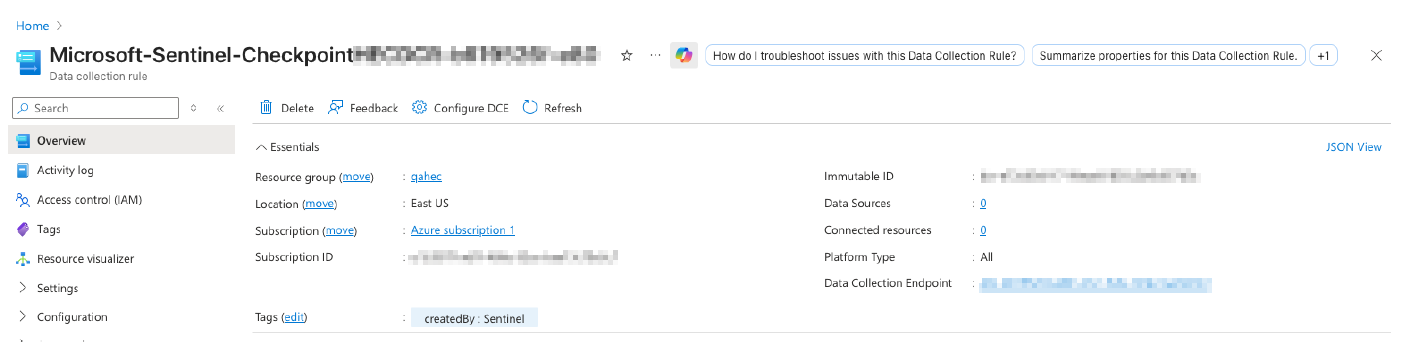
To locate the DCR:
- In the Azure portal, search for Data Collection Rules.
- Filter the results by the resource group used during the Avanan solution installation.
- Select the DCR created by the Avanan solution.
-
Copy the following values:

-
DCR immutable ID - In the DCR Overview page, copy the Immutable ID. Example: dcr-1234567890abcdef1234567890abcdef.
The immutable ID uniquely identifies the DCR rule when Avanan sends events through the Logs Ingestion API.
-
DCR resource ID – Copy the full Azure path of the DCR.
Example: /subscriptions/<subscription-id>/resourceGroups/<resource-group-name>/providers/Microsoft.Insights/dataCollectionRules/<dcr-name>.
The resource ID identifies the Azure resource and defines the scope where the application permission is assigned. It is not entered in the Avanan portal.
-
DCR stream name - Open the DCR JSON view or Data flows configuration and locate the source stream used by the custom table.
Example: Custom-AvananEvents_CL.
This table is set by default in the Avanan SIEM configuration.
Note:The Logs Ingestion API uses the immutable ID and stream name in the request path.
-
DCR immutable ID - In the DCR Overview page, copy the Immutable ID. Example: dcr-1234567890abcdef1234567890abcdef.