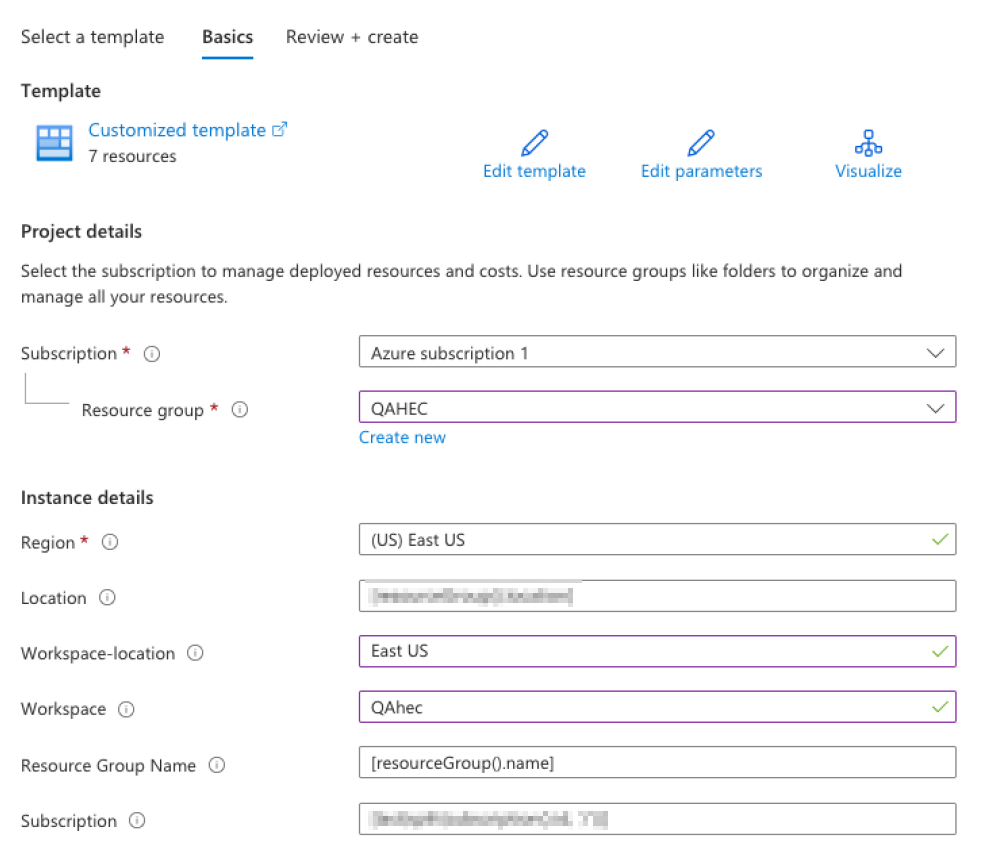
You must install the published Avanan solution from the Microsoft Sentinel Content Hub. The Content Hub installation uses the deployment template included in the solution package.
-
Open the relevant Microsoft Sentinel workspace.
-
In the Content management section, select Content hub.
-
Search for
Avanan and select the
Avanan solution.
-
Click View details.
-
Click Create or Install.
-
Select the Azure subscription.
-
Select the required Resource group.
-
From the Region dropdown, select the required Azure region.
-
Select the required Log Analytics workspace.
-
Review the deployment configuration and click Review + Create.
-
After validation succeeds, click Create.
The deployment includes the following resources:
Wait for the deployment to complete before you continue.