Managing Quarantine
Avanan quarantines emails, files and messages based on the security policies and the settings of the different engines. In addition, using Attachment Cleaning (Threat Extraction), it modifies the email attachments and keeps their original copy in the solution's quarantine.
According to the policy, end users may be able to submit restore request both for quarantined emails and extracted (cleaned) attachments. Administrators then need to decide whether to approve restore requests or not.
For more information about analyzing quarantined emails and other security events, see Events.
All Quarantined Emails (Admin View)
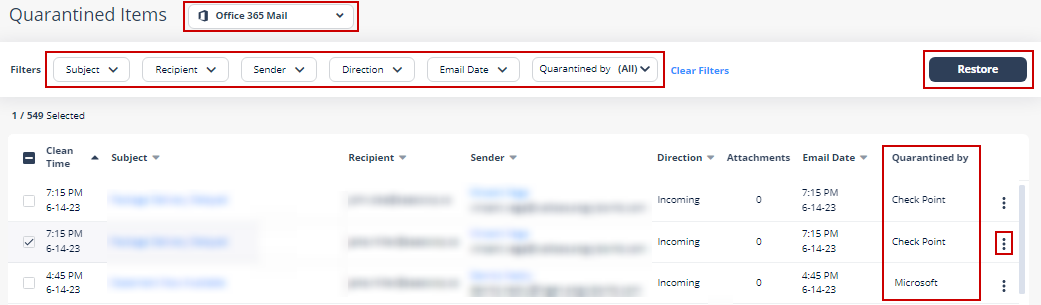
Under User Interaction > Quarantined Items, you will find all the quarantined items per protected application.
You can perform these actions from the Quarantined Items page.
-
Filter the quarantined emails specific to a SaaS application.
-
Search through the quarantined emails using Subject, Recipient, Sender, Direction, Email Date, and Quarantined by filters.
-
Drill down to relevant quarantined emails for more information.
-
Release (restore) emails from quarantine.
Emails with Modified Attachments
You can view these details in the Emails with Modified Attachments page.
-
Emails with attachments, where the links in the attachments were replaced. See Click-Time Protection.
-
Emails with attachments that were cleaned. See Attachment Cleaning (Threat Extraction).
The page does not show emails where links in the email body were replaced.
Sending the Unmodified Emails to End Users
To send the original email to the end-user, do one of these.
From the Modified Attachments page
Go to User Interaction > Modified Attachments.
To send an original email, click the
 icon for the email from the last column of the request table and select Send Original.
To send multiple emails at a time, select the emails and click Send Original from the top-right corner of the page.
Click OK.
From the Email profile page
Open the email profile page.
In the Email Profile section, click Send for Send Original Email.
Click OK.
Dedicated Quarantine Mailbox / Folder
If you would like to store quarantined emails/files locally, you can configure a dedicated quarantine repository for every protected application. This repository is used to store every email / attachment / file that is quarantined automatically according to the policy or manually by administrators.
Specifying such a mailbox/folder is not mandatory, as Avanan stores a copy of quarantined items in an S3 bucket associated with the Avanan portal.
Office 365 Mail
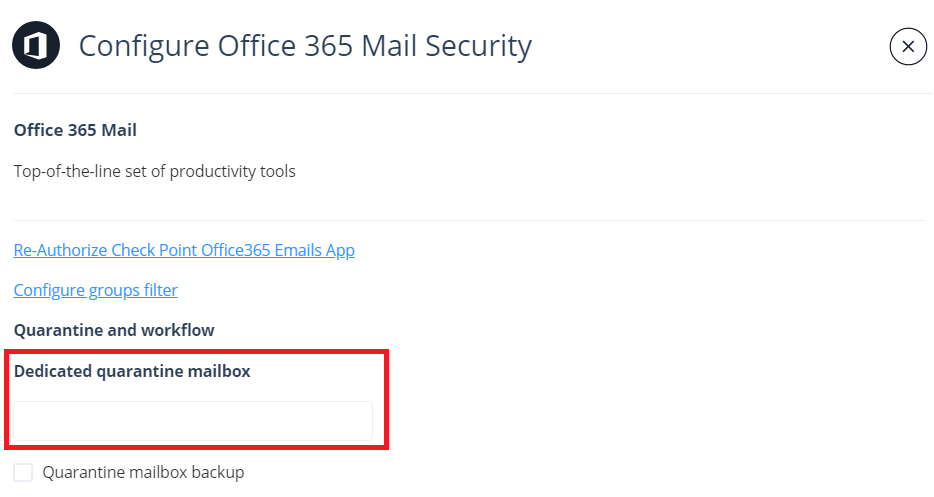
The dedicated quarantine mailbox must be a full licensed mailbox and it cannot be a shared mailbox.
To configure the dedicated Office 365 Mail quarantine mailbox, click Security Settings > SaaS Applications > Office 365 Mail > Configure.
Gmail
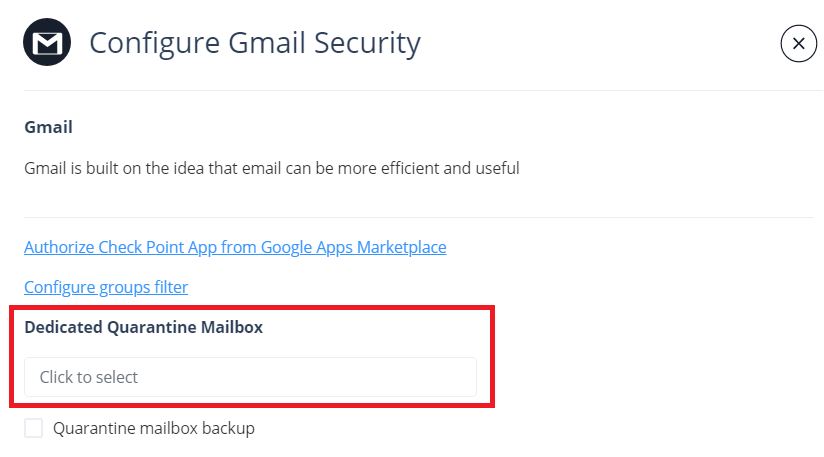
To configure the dedicated Gmail quarantine mailbox, click Security Settings > SaaS Applications > Gmail > Configure.