
Configuring the Remote ID
Configure the Remote ID (FQDN) in clish and verify the configuration for the VPN site. The procedure also explains how to confirm the tunnel status.
Configuring the Remote ID
-
Open a CLI session and run
clish.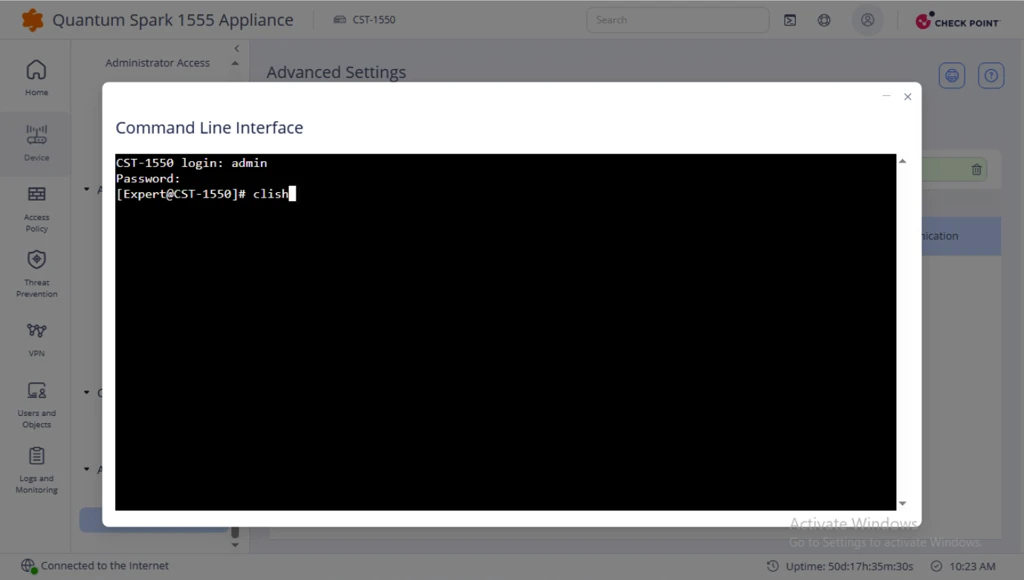
-
In clish, use the commands to configure RemoteID (FQDN).
In this example,
fqdn = spark.cp.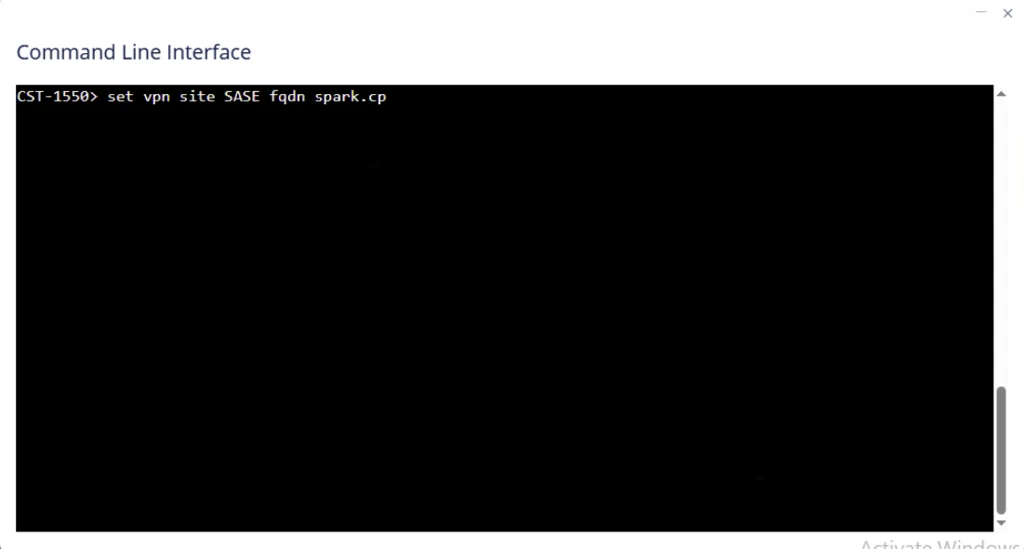
-
To verify the configuration, run:
show vpn site SASEThe results must display:
fqdn: spark.cp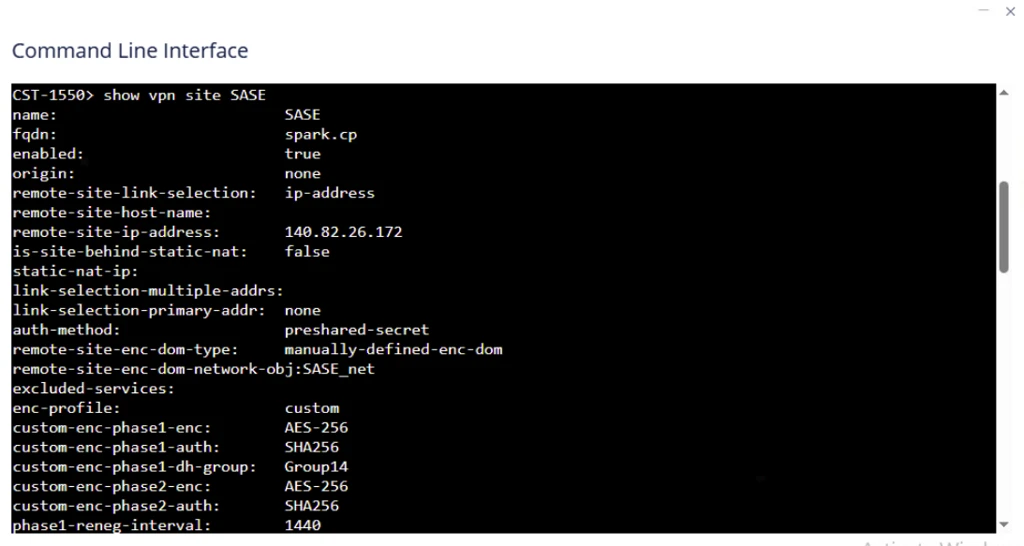
Now, the tunnel status changes to Up when you send traffic through it.